Every Tuesday starts the same way for a lot of RevOps and outbound teams. The queue is full, the reps are already behind, and someone still has to figure out which accounts are worth touching, which contacts are stale, and what angle won't get ignored. By the time the first message goes out, two hours have already disappeared into tabs, CRM notes, LinkedIn, and half-finished account research.
That's the bleeding neck. Not a lack of activity, a lack of usable context. Sales data enrichment exists because contact and account records decay fast, with industry sources putting decay at 2.1% per month and 22.5% annually (CleanList), and because 10.9% of professionals change companies annually (CleanList). If reps are still manually researching prospects for 8+ hours per week when data quality is poor (CleanList), the core issue isn't effort. It's that the process is built on stale inputs.
The Morning That Proves the Problem Exists
By 9:10 a.m., the BDR has 47 accounts queued and too many browser tabs open to count. One tab has the CRM. Another has LinkedIn. Another has a funding alert. Three more are just trying to answer the same question in different ways, who owns this account now, what does this company use, and why would anyone there care about the pitch?
The work looks productive because it's visible. It isn't. Every minute spent stitching together titles, tech stack details, and trigger events is a minute not spent talking to a buyer, and that's how a generic opener ends up in the send queue. The email might be clean, but it reads like it was assembled from a spreadsheet, not written for a live account.
What the rep is really paying for
The hidden cost shows up downstream. When research is manual, the first pass is slow, and the second pass is worse because nobody trusts the fields enough to route cleanly or prioritize well. That's how a cross-sell motion inside a multi-solution company stalls, the account exists, the customer exists, but no one has the per-product context to say which solution family fits and which signal actually matters.
Practical rule: if a rep can't explain why an account is on their list in one sentence, the list is probably just a pile of records.
This is why enrichment matters operationally, not philosophically. It is the difference between a rep opening a record and seeing a usable account story versus seeing a name, a domain, and a vague title that still needs work. The fastest teams don't research less. They reduce the amount of research that has to happen before action.
What Sales Data Enrichment Actually Means for a Multi-Solution Company
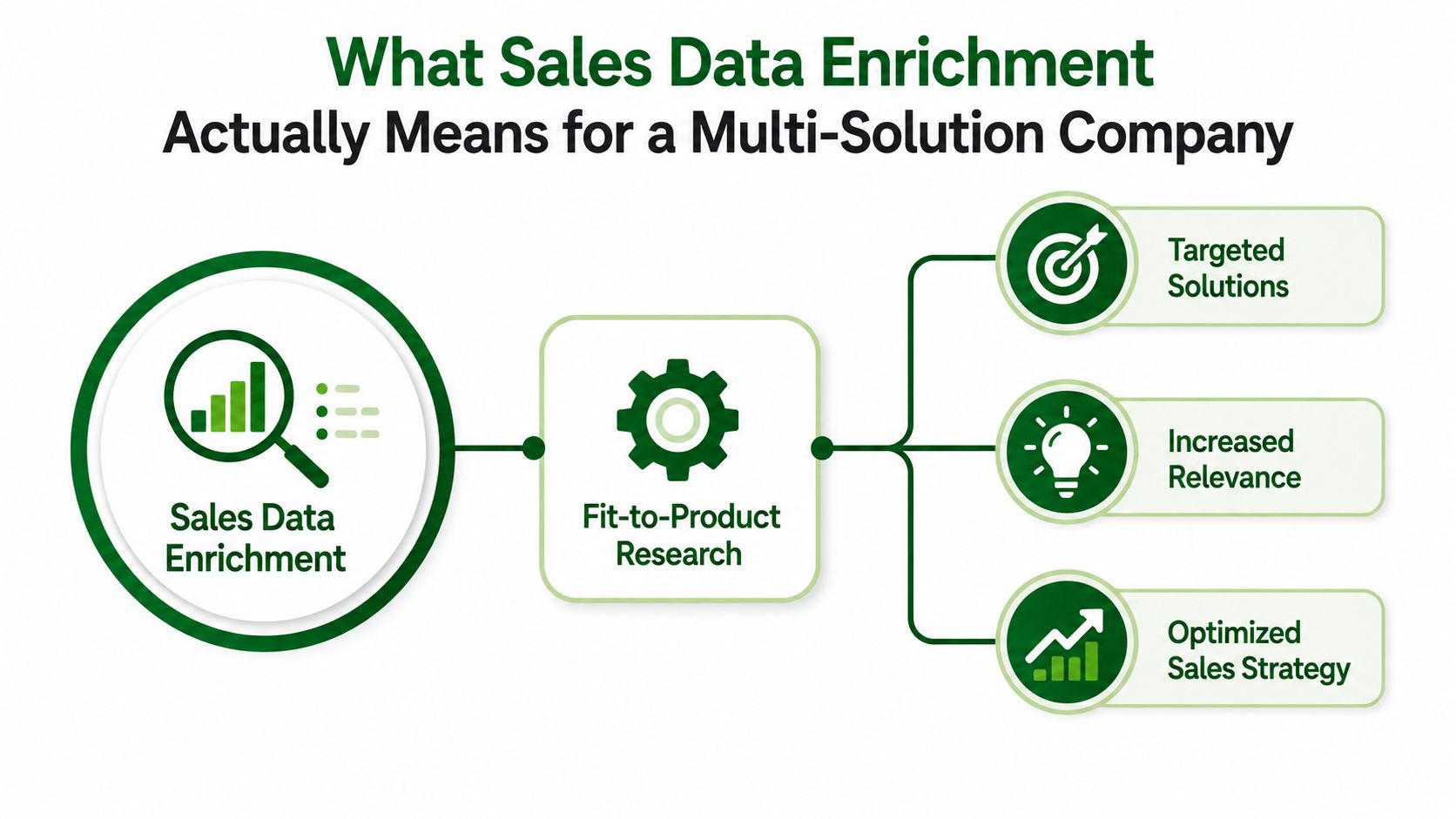
At a multi-solution company, sales data enrichment is not a generic append job. It's the process of appending, verifying, and updating existing contact and account records so they can be judged against the specific product or solution being sold, not just against broad firmographics (Apollo). That distinction matters in acquisition-heavy orgs, where one customer base may map to several solution lines and a “complete” record can still be useless if it's not aligned to the right motion.
Fit-to-product beats field completion
Teams say they want more complete records. What they need is fit-to-product research. That means deciding what a good account looks like for each solution family, then enriching against that definition so the output is action-ready. A company can be the right size, in the right industry, and still be a bad fit for a specific product line if the signal profile doesn't match the buying problem.
That's where enrichment differs from renting a database or verifying an email address. A database gives you existing records. Verification tells you whether one field is usable. Enrichment is the layer that adds context, then writes back the fields a sales workflow can use.
Who uses it and why
Three groups usually consume the output.
- Outbound teams need a per-contact hook before they write anything.
- Revenue enablement and customer success leaders need per-account actions for expansion and cross-sell.
- RevOps needs normalized fields so routing, scoring, and sequencing rules don't break on noisy data.
The useful output isn't “more data.” It's a record that can answer, “Which product should we sell here, and why now?”
For teams building a public operating model around this work, the practical starting point is usually to define the catalog, define the product fit logic, and make the research workflow visible in one place, like the content and examples on PitchSmart's blog. Anything less turns enrichment into a hygiene project, not a revenue system.
The Four Signal Categories That Drive Real Buying Decisions
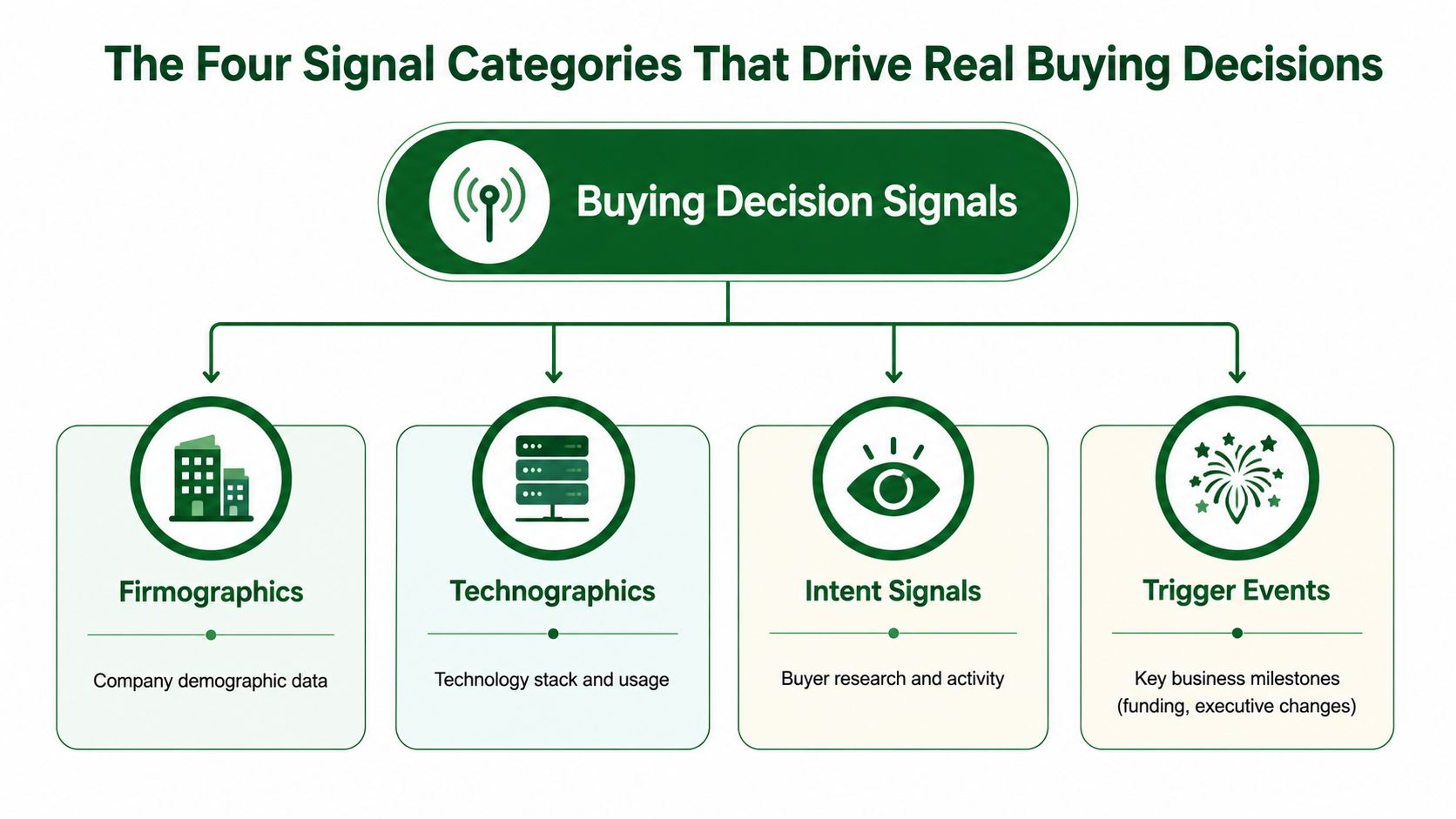
The signal stack that matters in B2B usually falls into four buckets, firmographics, technographics, intent signals, and trigger events (Salesmotion). That structure is useful only if each signal can be tied back to a real product motion. Otherwise, teams collect interesting facts that never influence prioritization.
Firmographics and technographics
Firmographics help you narrow the universe to accounts that can buy. A sizing example like a B2B SaaS company with 500+ employees and $50M+ ARR is useful because it shows how a broad market becomes a workable ICP slice (Salesmotion). For a multi-product business, that kind of filter can separate a solution aimed at enterprise operating complexity from one aimed at a lighter motion.
Technographics do different work. They tell you what the account already runs, which matters when one solution line depends on a stack the buyer already uses. If the customer already has the right tools in place, the next question is whether the selling motion is about replacement, integration, or expansion.
Intent signals and trigger events
Intent signals are the research trail buyers leave behind. They help outbound teams decide when an account is actively comparing options, not just sitting in the territory. Trigger events do something adjacent, they make a company look newly reachable or newly urgent.
A security hiring signal is a good example of how this becomes specific. A team hiring a security leader isn't just “showing growth.” It may be creating a clear opening for a security-focused solution family, while the same account could be irrelevant for another product line. Funding, executive hires, and M&A activity matter for the same reason, they can change who owns the problem and when the problem gets budget.
The Enrichment Pipeline and Why Stage Order Matters
The cleanest enrichment setups follow a four-stage flow, input, match, normalize, write back. That matches the operational pattern described in enrichment implementation guides, where records arrive through CSV, API, or CRM triggers, get matched by stable identifiers, then are normalized and validated before they're returned to the system of record (ZoomInfo; CleanList glossary).
Where real-time and batch diverge
Real-time API enrichment is the right choice when a form fill or routing event needs immediate context. If a rep or a workflow is deciding what happens next, latency matters. Batch enrichment fits list hygiene and periodic refreshes better, especially when an account portfolio needs a clean sweep before a new quarter starts.
That trade-off is mostly about timing and field coverage. Real-time tends to support inline workflows. Batch gives RevOps more control over scheduled cleanup and broader backfill work. Both fail if the input records are messy, but they fail differently.
Where fit-to-product scoring belongs
The stage order matters because the product-fit decision shouldn't happen after the record is already treated as “good enough.” It belongs where the team can still influence prioritization, before the field is written into routing, scoring, or sequencing logic. If you score too early, you score junk. If you score too late, you've already wasted the record's first useful moment.
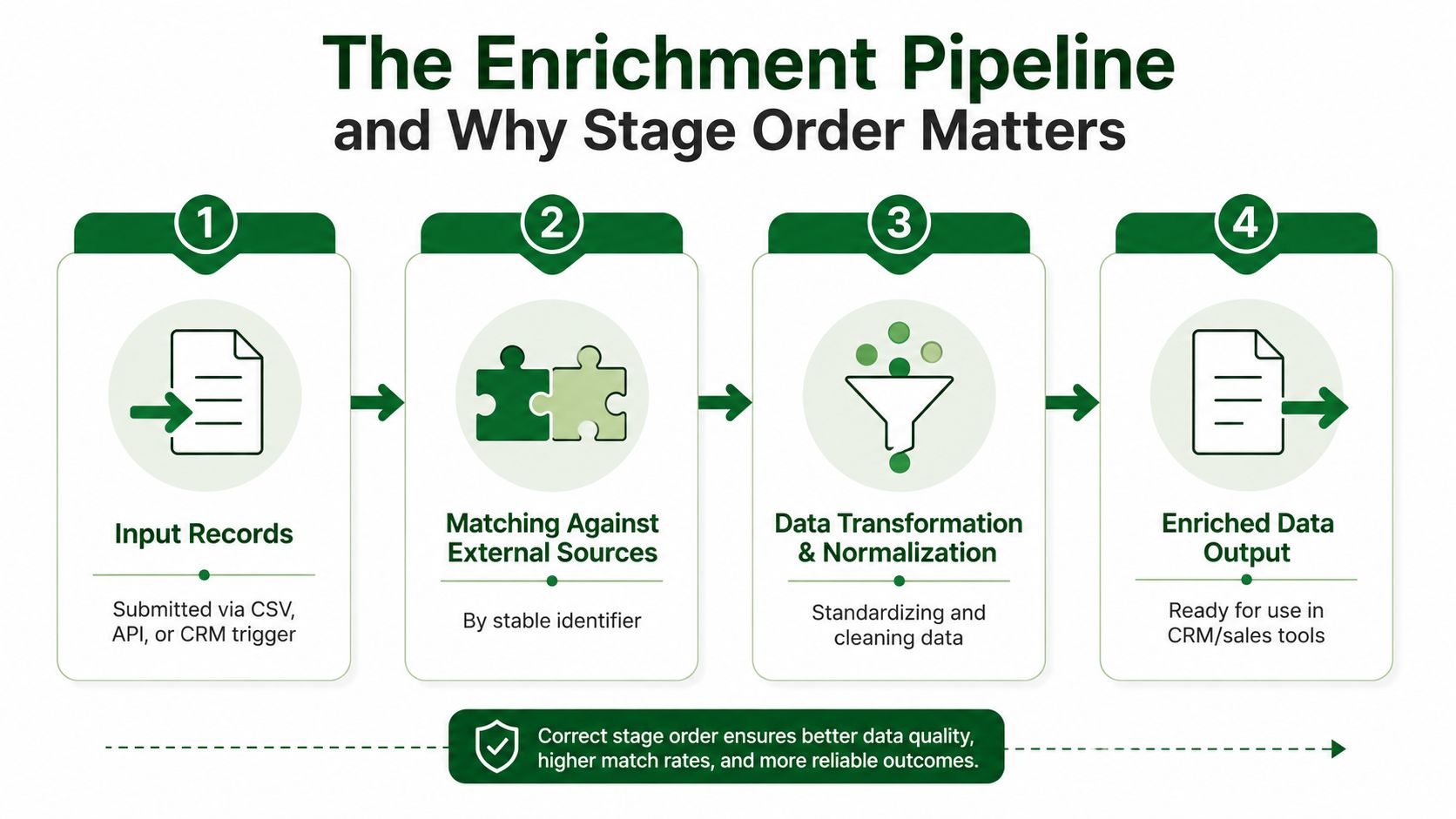
A simple way to think about it is this. Input tells you what you've got. Matching tells you what it is. Normalization tells you whether it can be trusted. Write-back tells you whether the rest of the stack can use it.
Video walkthrough of the pipeline in practice.
Data Quality Gates That Decide Whether Enrichment Actually Helps
The biggest failure I've seen in enrichment rollouts isn't bad data from the source. It's bad preparation before the match ever happens. If you don't cleanse first, you turn enrichment into a merge problem, and that's how duplicate contacts, wrong owners, and routing errors slip into production.
The four checks that save the rollout
Start with the identifier, because enrichment only works when the record can be matched. Standardize domains, email formats, company names, and phone or address structures before the system looks for a match. Then filter out personal email addresses and malformed domains, because those records often match poorly or not at all.
After that, de-duplicate what already exists in the CRM. If the same person appears twice under slightly different company data, enrichment can create more confusion instead of less. Finally, validate the output before routing or scoring consumes it, so your downstream logic is working from normalized fields instead of noise.
- Standardize identifiers: Make sure the match key is consistent before anything gets appended.
- Filter bad records: Remove personal emails and malformed domains that can't support clean matching.
- De-duplicate first: Stop duplicate merges from multiplying the same contact across workflows.
- Validate before use: Confirm the enriched fields are usable before they hit scoring, routing, or sequencing.
If a field can't be traced back to its source, RevOps will end up re-litigating it later.
That traceability point matters more than teams expect. Every enriched field should be auditable, because the moment a lead score or route looks wrong, someone needs to know where the value came from and whether it still belongs there. Without that, the enrichment project turns into a black box nobody wants to own.
A Worked Example of Per-Account Enrichment Driving Cross-Sell Actions
A customer success leader at a 1,500-person software company doesn't need more “complete” customer records. They need a ranked list of accounts that are worth a cross-sell motion this quarter, and they need to know why each one made the cut. The base of the work is the installed customer base, but the value comes from matching each account against the specific solution being pushed, not against a generic profile.
What the action layer looks like
One account may surface a recent executive hire, another may show tool usage that fits a related module, and a third may show buying intent around a neighboring problem. Each of those should produce a short action, not a blob of appended fields. The action should name the solution, the signal, and the hook the AE can turn into a conversation.
That's the difference between operational enrichment and database hygiene. In the first case, the output is something a rep can use today. In the second case, the output is a cleaner record that still doesn't tell anyone what to do next.
For expansion leaders, the useful question is simple. Which accounts are ready for which solution, and what changed that makes the account worth touching now? That's the working model behind the per-account research motion, and it's why the research answer should always be tied to a source, a solution line, and a concrete next step. Tools like PitchSmart are built around that pattern, researching accounts against the product definition instead of stopping at generic account data.

Implementation Checklist, Metrics, and Compliance Essentials
Treat enrichment like a workflow and it becomes governable. Treat it like a one-time cleanup project and it drifts as soon as the first quarter ends. The teams that hold up over time make the operating rules explicit before they scale the process across outbound and expansion motions.
A practical rollout checklist
- Define the catalog: List each product or solution line separately so fit logic doesn't blur across motions.
- Define ICP by solution: Don't use one generic account profile for a portfolio that sells differently.
- Pick stable identifiers: Decide which fields will anchor matching, then enforce them.
- Set refresh cadence: Plan when records get rechecked so stale fields don't linger.
- Document source traceability: Make sure every critical field can be audited later.
- Set write-back rules: Decide what gets written to CRM, what stays in the research layer, and what should trigger a human review.
Weekly scorecard
| Metric | What It Tells You | Target Direction |
|---|---|---|
| Match rate | How many records can actually be enriched | Up |
| Validation pass rate | Whether outputs are usable downstream | Up |
| Duplicate rate | Whether the pipeline is creating record noise | Down |
| Source traceability coverage | Whether fields can be audited later | Up |
Compliance still matters
Keep lawful basis, opt-outs, and suppression lists in the operating rules, not as afterthoughts. Make sure data source contracts and usage terms are documented, because security and legal teams will ask for them. If the team can't explain where the data came from and why it's allowed to be used, the workflow won't survive review.
For privacy details and governance language, keep the policy visible in the same operating motion as the data work, not in a separate drawer. That's one reason teams keep a reference like PitchSmart's privacy page close when they're standardizing enrichment across outbound and expansion.
If your team is still stitching together accounts by hand, PitchSmart can help structure the work around the products you sell, the signals that matter, and the account actions your reps can use. It researches your lists against your solution catalog, then turns the output into fit-based research, hooks, and cross-sell actions instead of generic enrichment. Visit PitchSmart if you want a workflow that starts from your product, not from a rented database.