Sales reps spend only 28% of their week on direct selling activities, while 72% disappears into non-selling work like research, CRM updates, and data entry, according to Salesforce's 2025 State of Sales reporting summarized here. That stat changes how you should think about an automatic generated email system.
The problem usually isn't that reps need another AI writer. It's that most outbound teams are trying to automate the last mile first. They start with copy generation, then wonder why reply quality is weak, deliverability is unstable, and pipeline stays inconsistent. Generic cold emails sent faster are still generic cold emails.
In outbound, automation only works when research comes first. A strong automatic generated email doesn't begin with a template. It begins with a clean list, verified signals, sharp segmentation, and a message structure that can adapt to what each account is doing. That's how teams move from batch-and-blast to repeatable pipeline creation.
The 70 Percent Problem Your Sales Team Is Drowning In
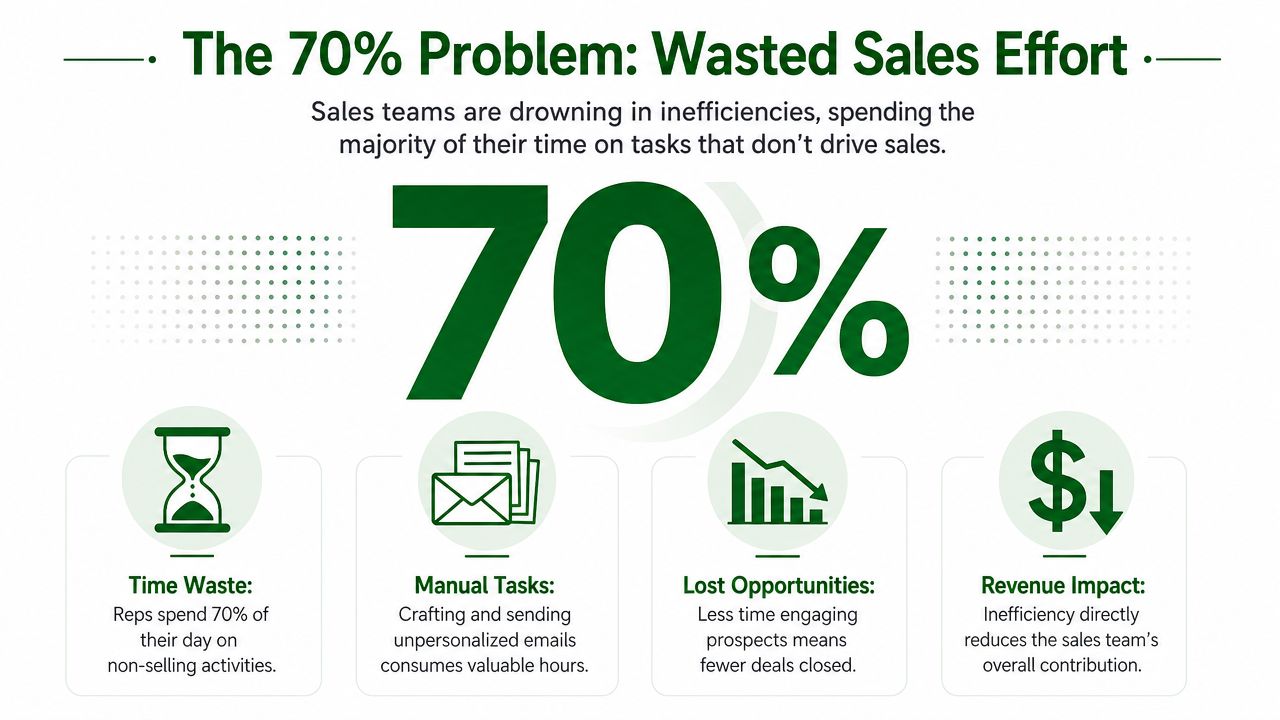
Reps spend only 28% of their week on direct selling activities. The other 72% goes to research, admin work, CRM hygiene, and task switching. For outbound teams, that is the core constraint.
If most rep time disappears before a live conversation happens, pipeline does not stall because effort is low. It stalls because the motion asks humans to do work that should be systematized.
Manual outbound breaks before volume does
I see the same pattern in founder-led sales, early SDR teams, and mature RevOps environments. A rep pulls a cold list, opens LinkedIn, checks the company site, searches for a trigger event, writes a custom line, drafts the email, logs the activity, and repeats. It looks disciplined. It does not produce enough quality conversations to justify the hours.
The problem gets worse as soon as leadership asks for scale.
A manual workflow creates three predictable failures:
- Research bottlenecks: Reps spend prime selling time gathering context one account at a time instead of running calls or working replies.
- Generic fallback copy: Once the day gets compressed, the custom research disappears and the email turns into a template with light token replacement.
- Low process control: One rep uses hiring signals, another uses recent funding, another uses nothing. Performance becomes hard to diagnose because the inputs are inconsistent.
Practical rule: If personalization depends on each rep researching every contact from scratch, the program will stall long before it becomes a reliable pipeline engine.
Why most automatic generated email tools disappoint
Teams under pressure to scale quickly often buy an automatic generated email tool and expect immediate lift. In practice, the tool usually speeds up weak process. It writes clean sentences, but clean sentences do not create relevance.
That distinction is critical because the inbox is crowded. The world sent and received 361.6 billion emails daily in 2024, a 4.1% year-over-year increase, with projections reaching 408.2 billion by 2026, according to this email market data roundup. In that environment, surface-level personalization gets filtered out fast.
What works is different. Outbound automation needs a prebuilt workflow for signal collection, account segmentation, and message assembly before the first sequence goes live. That is the model behind platforms built for signal-driven outbound email generation. They reduce rep labor by turning research into structured inputs instead of asking each sender to invent relevance manually.
The goal is not to automate writing alone. The goal is to automate the parts of outbound that waste time, while keeping the parts that earn replies tied to real buying signals.
Building the Foundation for Scalable Outreach
High-performing outbound automation starts with list integrity. If the list is stale, thin, or poorly segmented, the email layer can't save it.
Bad data drains reps before they ever reach a prospect. Reps lose 546 hours per year navigating inaccurate contact records like bounced emails and disconnected numbers, which consumes 27% of working time, according to this summary of the data quality problem. That isn't a minor ops issue. It's one of the main reasons outbound teams mistake activity for traction.
Why list quality matters more than copy quality
Many organizations still start with messaging. I'd reverse that every time.
A usable outbound list needs more than names and job titles. It needs enough context to answer four questions before a sequence is drafted:
| Question | Why it matters |
|---|---|
| Is this account a fit? | Prevents reps from spending time on companies that should never enter the queue |
| Is there a reason to reach out now? | Gives the email a timely angle instead of a generic pitch |
| Who should receive the first touch? | Keeps the sequence aligned to role and likely pain |
| What segment does this account belong to? | Lets you vary hooks, offers, and cadence by buying signal |
If you skip that layer, your automatic generated email program turns into personalized formatting wrapped around unresearched targeting.
One practical option is PitchSmart, which bulk-researches uploaded lists or CRM prospects, ties qualifiers and buying signals back to original sources, and generates outreach inputs from those signals. The important part isn't the brand name. It's the workflow design: parallel research first, messaging second.
A practical prep workflow for outbound teams
The setup I trust looks like this:
Start with your own list
Pull from CRM, recent target account builds, event follow-up lists, or handpicked vertical lists. Don't begin with copy. Begin with account selection.
Enrich for fit and timing
Look for recent activity that can support a conversation. Hiring patterns, leadership changes, product launches, public posts, and company updates are all usable if they're relevant to your offer.
Segment before writing
Build segments around signal patterns, not just company size or industry. A company that just added leadership should not get the same opener as a company reacting to a market shift.
The fastest way to ruin outbound automation is to send one message architecture to a list with five different reasons to buy.
Create a conversation plan
Every account should have a primary hook, a backup angle, and the role-specific problem you want to attach to that hook.
A short product walkthrough helps make that concrete:
When teams do this prep work up front, the rest of the motion gets simpler. Writers don't have to invent relevance. Reps don't have to fake research. Managers can audit why a sequence exists and whether the trigger makes sense.
Crafting Templates That Do Not Sound Automated
The best automated outbound templates don't read like templates. They read like a rep noticed something specific, understood why it mattered, and reached out with a clear next step.
That's why I don't recommend writing one polished email and then trying to spray personalization into it. A better approach is to build a template framework with fixed parts and variable parts. The fixed parts keep the message coherent. The variable parts let the email adapt to the signal.

Write frameworks, not frozen scripts
Personalized automated emails achieve a 119% higher click rate than traditional campaigns, and businesses using automated workflows experience a 320% increase in revenue, according to this email automation benchmark roundup. That doesn't mean every automated email performs well. It means automation works when the content has enough relevance to earn attention.
A simple cold outbound framework usually has five parts:
- Opening line tied to a real trigger
- Problem statement tied to that trigger
- Short relevance bridge
- Low-friction ask
- Clean sign-off
The mistake is letting the opening line do all the work while the rest of the email turns back into boilerplate. If the hook references a product launch but the body immediately switches to “we help companies streamline growth,” the personalization feels decorative.
What to keep static and what to keep dynamic
The easiest way to write better automatic generated email copy is to separate permanent messaging from account-specific messaging.
Use a structure like this:
| Component | Keep static | Keep dynamic |
|---|---|---|
| Value proposition | Core problem you solve | Specific manifestation visible in the account signal |
| Credibility | Product category or approach | Why it matters for that role now |
| CTA | One simple meeting ask | Wording adjusted to the context of the trigger |
That lets reps and systems personalize without rewriting the entire email each time.
I also like putting guardrails around the draft itself. Keep copy tight. Avoid trying to explain your whole product. If you're using a blog or resource center to refine message ideas, PitchSmart's blog is one example of the kind of outbound-focused content library that can help teams sharpen frameworks around signals and segmentation rather than generic nurture language.
Good automated copy doesn't sound human because it adds slang. It sounds human because the message picks one reason for outreach and sticks to it.
A weak template says, “Saw your company is growing. We help teams improve efficiency.”
A stronger framework says, “Noticed you're hiring into sales leadership. That usually creates pressure to tighten account coverage and outbound consistency before new reps ramp.”
That second version sounds researched because it follows a causal chain. Signal, implication, outreach. That's the pattern to build.
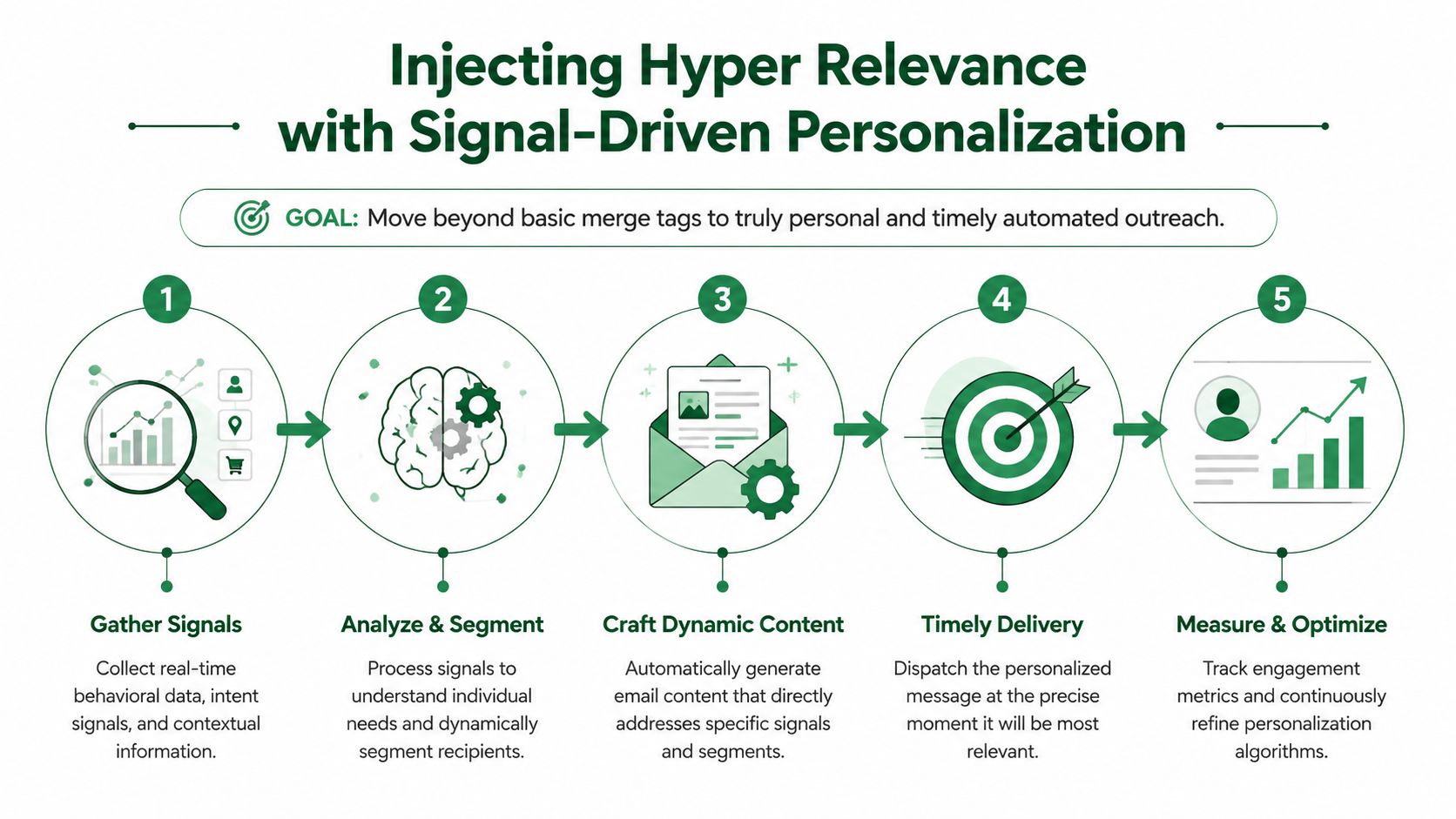
Injecting Hyper Relevance with Signal-Driven Personalization
Many stop at merge fields. First name. Company name. Maybe industry. That isn't personalization anymore. It's formatting.
Hyper relevance starts when the outreach references something the prospect did, or something the account just changed. That's what makes an automatic generated email feel less like software output and more like commercial awareness.
What real signals look like in practice
Here are the signals I'd trust most in outbound because they create a plausible reason to start a conversation:
- Leadership movement: A new VP, CRO, or head of function often means process reviews, tooling changes, or a reset in priorities.
- Public activity: A prospect's recent LinkedIn post can reveal active initiatives, language they use internally, or pressure points they already acknowledge.
- Hiring patterns: Open roles often reveal where execution is breaking or where investment is increasing.
- Company announcements: Funding, expansion, launches, and partnerships can all work if you connect them to a relevant operational consequence.
The key is to write from the signal forward. Don't mention the signal as an icebreaker and then switch topics. Carry it through the entire note.
For example:
You posted about cleaning up handoff issues between SDRs and AEs. That's usually a sign that research quality and account context aren't reaching the rep at the right time.
That works better than:
Saw your post. By the way, we help with sales productivity.
The first line understands why the signal matters. The second line just acknowledges that the signal exists.
The colleague mention angle
One tactic worth using carefully is the {{colleague}} field. A recent outreach “cheat code” is inserting {{colleague}} as a dynamic field, which outperforms standard angles by making emails feel personally researched, according to this LinkedIn post discussing the tactic.
Used well, it sounds like this:
- Weak: “Thought your team might be interested.”
- Better: “Your colleague in revenue operations raised a similar issue around rep prep and inconsistent account research.”
- Best: “I noticed your colleague has been active around outbound process changes. That usually lines up with teams revisiting list segmentation and message quality.”
That angle works because it creates proximity. It implies shared context without pretending to know the buyer personally.
There is a caution here. You can't fake specificity. If the colleague field is wrong, stale, or irrelevant, the email feels manipulative fast. That's why signal-backed personalization matters more than clever token insertion. The token is only useful when the underlying research is sound.
Deploying and Testing Your Automated Sequences
Once the research and message architecture are in place, execution becomes an operations problem. At this point, many outbound teams create self-inflicted damage. They launch too fast, send too broadly, and judge performance using the wrong signals.
High-performing automated systems require a deliverability rate of 95%+ to ensure inbox placement, and the strongest workflows use action-based triggers and dynamic content tied to verified buying signals rather than static one-off sends, according to this guide on building automated campaigns. That guidance matters because sequence quality is useless if your mail never lands where a buyer can read it.
Build around sequence logic, not single sends
For outbound, I prefer a 3-step email and LinkedIn sequence built around one core signal and one secondary angle.
A simple deployment model looks like this:
Touch one
Lead with the strongest signal-backed hook. Keep the ask small.
Touch two
Shift from the original trigger to the operational consequence. Show that you understand what the signal likely creates inside the business.
Touch three
Use a softer close. Refer back to the earlier context and give the buyer an easy way to opt into or out of the conversation.
The important part is consistency of narrative. Each touch should deepen the same line of reasoning. Don't send three unrelated messages just because a sequence tool allows it.
Sequence testing should answer one question at a time. Is the signal wrong, is the segment wrong, or is the message wrong?
What to monitor once campaigns are live
I pay attention to four things first:
- Inbox placement health: If deliverability is weak, stop tweaking copy and fix the sending motion.
- Segment-level engagement: A mediocre average can hide one strong segment and several broken ones.
- Reply quality: Replies tell you whether the signal and problem statement feel credible.
- Downstream conversion intent: Positive opens don't matter if the sequence attracts low-fit conversations.
There's also a practical limit to how polished your AI-generated text should feel. Security systems and human readers alike are getting better at spotting uniform, overly tidy outreach. The more every email sounds like it came from the same model, the more likely you are to blend into the category of “automated sales email” in the worst possible way. Small variations in tone, phrasing, and opener structure help keep sequences from sounding mass-produced.
That's especially important for outbound teams running at volume. Sequence automation should reduce labor. It should not erase judgment.
From Automated Emails to Predictable Pipeline
A useful automatic generated email system doesn't just save drafting time. It changes how outbound work is allocated across the team.
Bain estimates that AI could double the percentage of time sellers spend selling from roughly 25% to 50% by eliminating non-selling work such as automated account research, according to this analysis of seller time allocation. This represents the key opportunity. Not more content for its own sake, but more selling time created by removing low-value manual work from the motion.
The pipeline impact comes from stacking the workflow in the right order:
- Research in bulk
- Segment by verified buying signals
- Build templates around signal categories
- Run automated 3-step sequences from the strongest hooks
- Review reply quality and segment performance
- Refine targeting before scaling volume
When teams skip those steps, outbound turns into noise with software attached. When they follow them, automation becomes an operational advantage.
For RevOps leaders, the model becomes particularly interesting. You can standardize what “good research” means, define usable trigger types, enforce segmentation logic, and give reps a consistent conversation plan instead of asking every rep to reinvent outbound one prospect at a time. If you want to operationalize that kind of workflow, PitchSmart pricing shows one way to evaluate whether a bulk research and signal-backed outreach platform fits your team structure.
Predictable pipeline doesn't come from writing more emails. It comes from making sure the right accounts enter the right sequence with the right reason for contact. That's the difference between automation as a gimmick and automation as a revenue system.
If your team is still doing one-by-one account research before every cold email, try PitchSmart. Upload a list, let the platform research accounts in parallel, surface buying signals, and turn those signals into usable outbound sequences without the manual tab-switching that eats the week.