Your SDR has 40 tabs open. LinkedIn in one tab, the company site in another, a funding page in a third, the CRM half-updated in the background, and a draft email waiting for a reason to exist. By noon, they've done a lot of work and created almost no pipeline.
That's the outbound problem. It isn't that teams lack sequencing tools. It's that most outbound still depends on slow, manual research done one prospect at a time, right before a rep sends a message. The result is familiar: generic emails, inconsistent follow-up, stale lists, and strong reps spending their day on work they should never have been asked to do manually.
Good outbound sales automation fixes that bottleneck. Not by helping you send more noise faster, but by turning research, qualification, segmentation, and sequencing into a system that runs before the first touch ever goes out. When that happens, reps stop hunting for scraps of relevance and start working conversations that already have context.
The Hidden Cost of Manual Outbound Sales
Manual outbound looks productive from a distance. Reps are busy. They're building lists, checking profiles, rewriting intros, chasing missing data, and trying to decide who deserves a follow-up. But busy isn't the same as effective.
The hard truth is that most of that effort sits outside actual selling. Salesforce reports that reps spend 60% of their time on non-selling tasks, leaving only 40% for selling, and Gartner found AI tools save sellers 4.8 hours per week on average in a survey of 210 chief sales officers and senior sales leaders conducted from January through February 2026, as summarized in Kixie's 2026 sales automation statistics roundup. That's the operational argument for automation in one line: too much rep capacity gets burned before a conversation even starts.
Where the day actually disappears
A rep rarely loses time in one dramatic block. They lose it in fragments:
- Lead vetting: Checking whether the account fits territory, segment, and ICP.
- Data cleanup: Fixing job titles, company names, missing URLs, and bad contact fields.
- Research assembly: Pulling together enough context to avoid sending a useless opener.
- Admin spillover: Logging activity, setting reminders, and updating sequence status.
Each task seems small. Together they drain the day.
Practical rule: If your best reps spend more time preparing to send outreach than handling replies, your outbound system is upside down.
Why manual research breaks quality
Many believe manual research improves personalization. In small batches, it can. At scale, it usually creates inconsistency.
One rep checks hiring pages. Another scans LinkedIn posts. A third copies boilerplate from old notes. Nobody uses the same standards, so the output varies by rep, by day, and by fatigue level. That's why one sequence sounds sharp while the next one feels generic even though both came from the same team.
The hidden cost isn't only labor. It's missed timing, uneven message quality, and rep burnout. Strong SDRs don't leave because they hate prospecting. They leave because their job turns into repetitive research and data entry instead of live selling.
What Outbound Sales Automation Really Means in 2026
A lot of teams still hear “outbound sales automation” and think email blaster. That definition is outdated. Modern automation isn't about loading a list, dropping in merge tags, and hoping volume covers weak targeting.
It works best when it combines lead sourcing, enrichment, scoring, and triggered sequencing into a single decision pipeline, turning outbound from a static cadence into an event-driven workflow where prospect behavior determines the next touchpoint, as described in monday.com's guide to scaling outbound sales with automation tools.
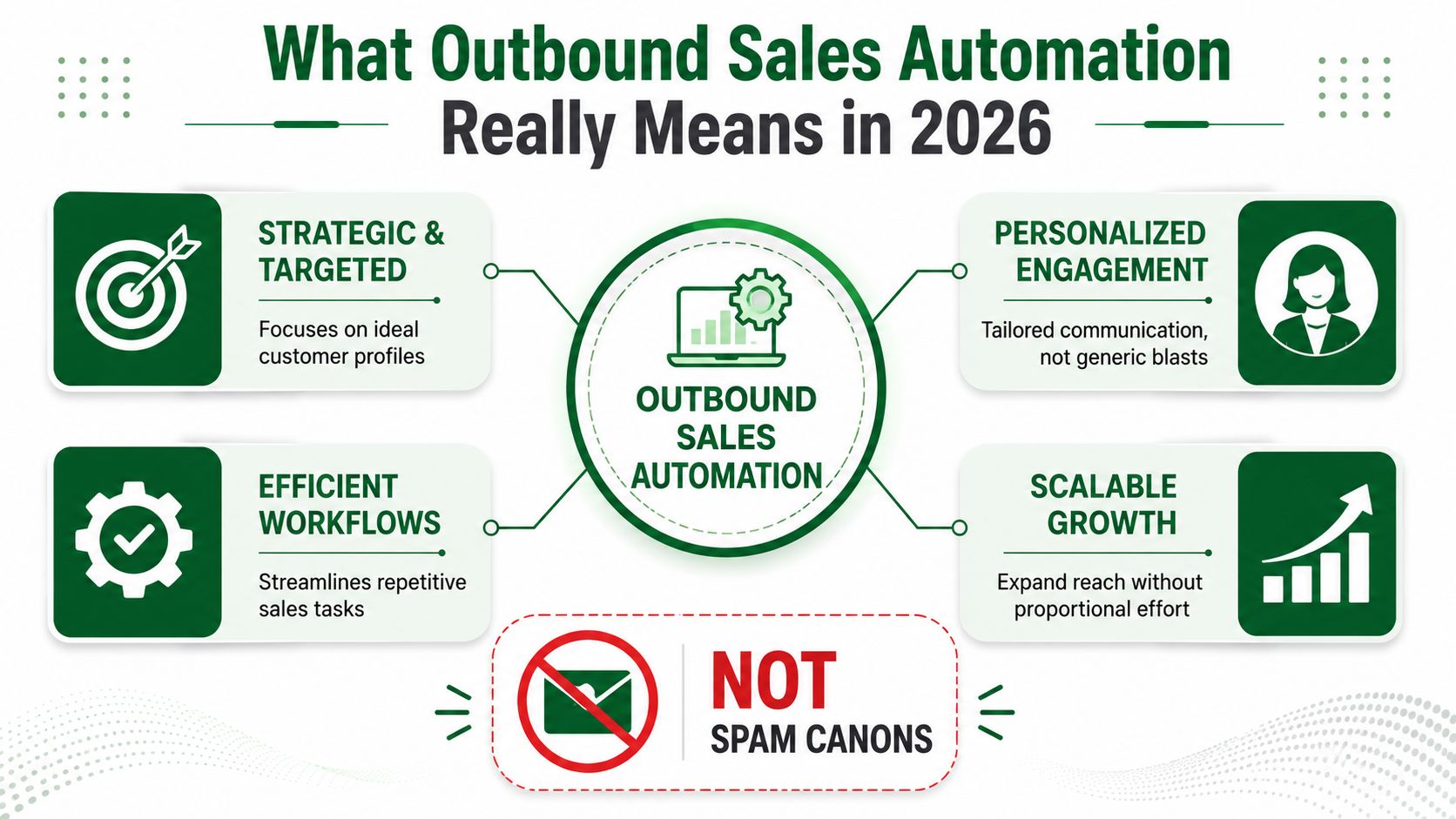
It's a research system first
The strongest automation stacks don't start with send volume. They start with intelligence.
That means the system should help teams answer four questions before outreach begins:
| Question | What the system should do |
|---|---|
| Who fits? | Filter the list against ICP, territory, and segment rules |
| What matters? | Enrich firmographic and signal data so the account has context |
| Who goes first? | Score or prioritize leads based on fit and current relevance |
| What happens next? | Trigger the right touch based on activity, not just elapsed days |
When teams skip those layers, automation just accelerates bad outbound. When they wire them correctly, reps stop guessing.
Static cadence is the old model
A fixed sequence says: send email on day one, follow up on day three, message on day five. It treats every prospect the same.
An event-driven workflow does the opposite. If a buyer engages on one channel, the next step changes. If enrichment reveals weak fit, the system can suppress or reroute. If a prospect shows stronger intent signals than the rest of the batch, the rep gets that account first.
That's what mature outbound teams are building now. The sequence is the last mile, not the strategy.
Good automation should make your reps more selective, not less.
For more operating ideas on sequencing, research, and workflow design, the broader PitchSmart blog is worth reviewing alongside your own current process.
The Business Case for Automating Outbound Sales
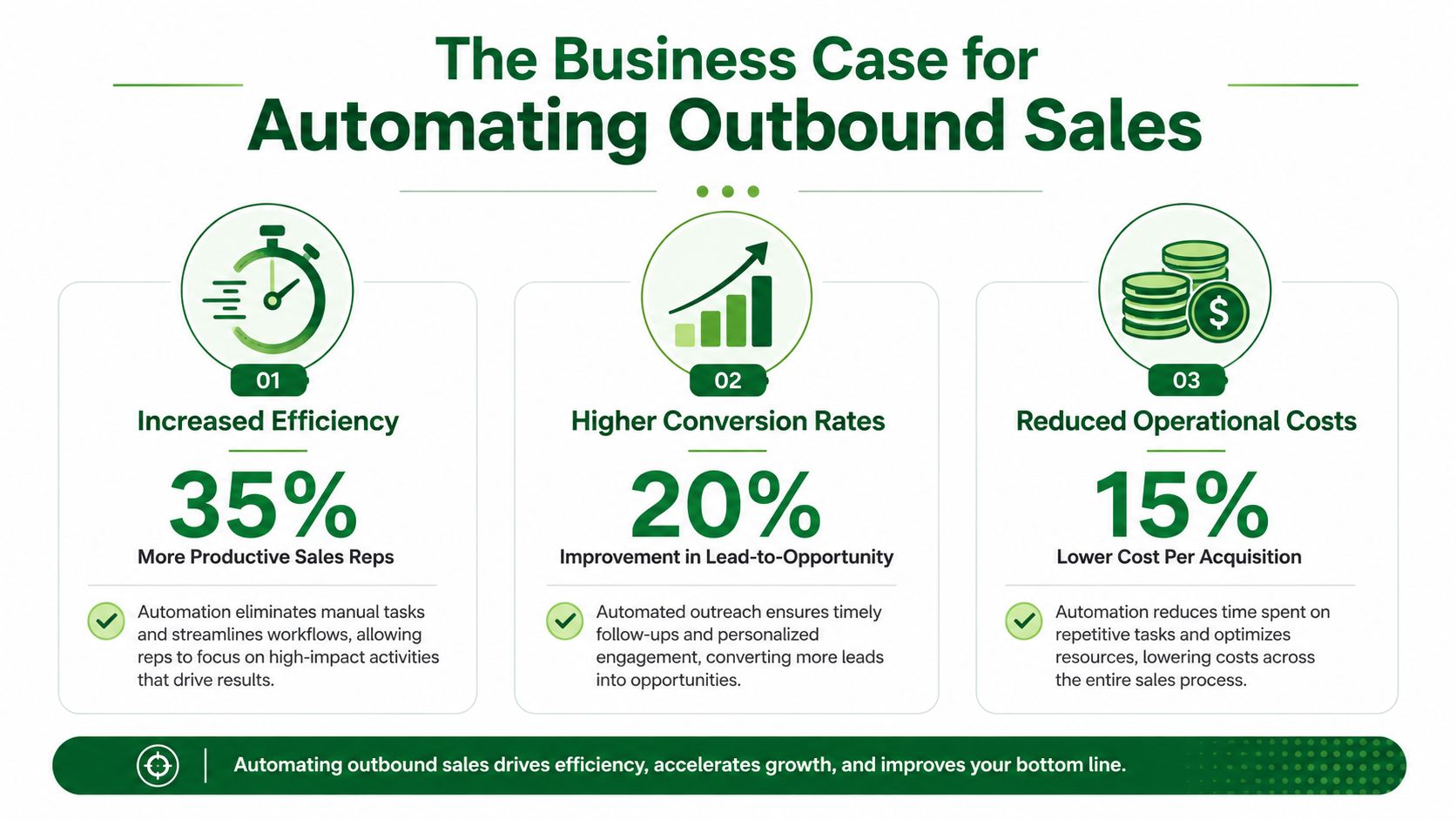
RevOps leaders rarely get budget for “making outreach easier.” They get budget for reclaiming rep time, improving performance consistency, and creating more pipeline without adding headcount at the same pace.
That's where the business case for outbound sales automation becomes straightforward. Oracle reports that marketing automation returns $5.44 for every $1 spent over the first three years, with a payback period under six months, and the same Oracle statistics page cites automated email campaigns at 22.1% average open rate versus 14.1% for manual campaigns in one reported comparison, in Oracle's marketing automation statistics overview.
What leaders actually buy
They aren't buying automation for the sake of automation. They're buying operational advantage.
That advantage usually shows up in three places:
- Rep capacity: Less time spent on prep, logging, list work, and sequence management.
- Execution consistency: Fewer dropped follow-ups and less variance between reps.
- Faster pipeline creation: More qualified accounts reached with better timing and cleaner prioritization.
The strongest argument is rarely “we can send more.” It's “we can route effort toward higher-probability conversations.”
Manual outbound has a compounding cost
When outbound is manual, inefficiency compounds in ways dashboards don't always show clearly.
A rep delays first touch because research takes too long. Follow-up goes out late because inbox triage gets messy. A decent-fit lead sits untouched because nobody surfaced it at the right moment. None of those failures look dramatic by themselves. Together, they lower throughput across the entire motion.
The biggest ROI driver in automation usually isn't message generation. It's removing the lag between lead discovery, research, and action.
The benchmark that matters
Leaders should evaluate automation against one standard: does the system increase useful selling time while maintaining quality?
If the answer is yes, the economics usually work. If the answer is no, the tool may still save clicks, but it won't change revenue operations. Platforms built around research, signal capture, and workflow orchestration tend to outperform tools that focus narrowly on sending. That's also why many teams start their evaluation with platforms built for modern outbound execution, including PitchSmart's platform overview.
The Four Pillars of a High-Performance Automation Engine
High-performing outbound doesn't come from one feature. It comes from a stack that works as a coordinated system. The technical edge comes from parallelization and signal density rather than raw volume. AI-driven outbound programs can research and prioritize prospects at scale, generate personalized outreach from behavioral and technographic data, and orchestrate follow-ups across channels in minutes instead of days, as explained in Artisan's analysis of outbound sales automation.
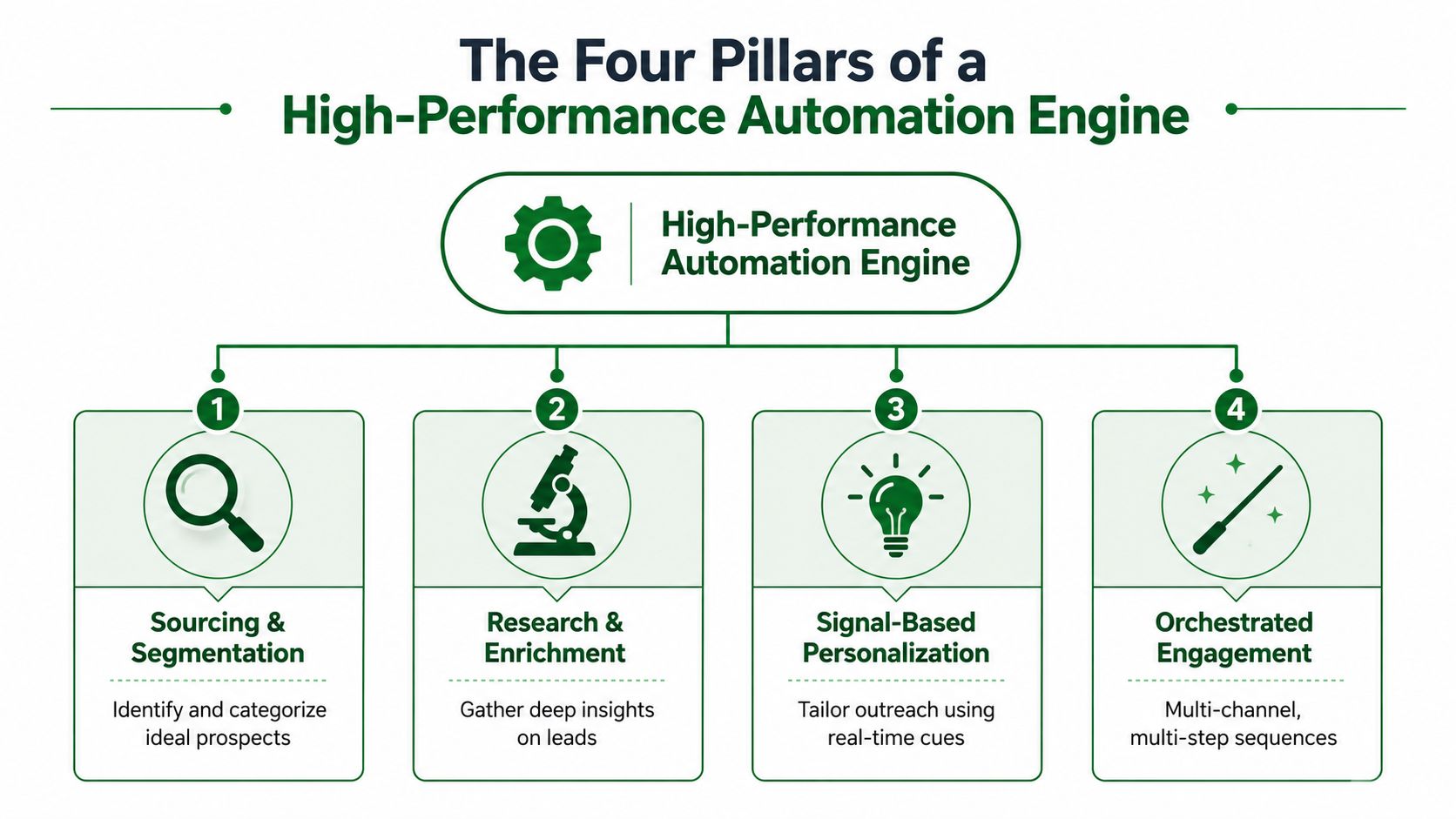
Sourcing and segmentation
Everything starts with list quality. Not list size. Quality.
A strong engine pulls from defined ICP criteria, territory rules, ownership logic, and campaign intent. Segmentation should happen before outreach copy is written, not after. If your enterprise accounts, mid-market accounts, and partner-sourced accounts all enter the same motion, your automation is already leaking relevance.
Useful segmentation often includes:
- Commercial fit: Industry, size band, geography, and role
- Motion fit: New outbound, reactivation, expansion, or competitive displacement
- Signal fit: Hiring, product launches, leadership changes, or engagement activity
Research and enrichment
This is the layer many organizations still underbuild. They have a sender. They don't have a research engine.
Research and enrichment should turn a flat contact record into something a rep can use. Firmographic context matters, but so do recent signals, account changes, and qualifiers that support a reason to reach out. Without this layer, “personalization” becomes little more than first-name tokens and company mentions.
Signal-based personalization
Not every insight deserves to become email copy. Good systems identify signals that create a credible conversation path.
That could be a role-specific pain point, a recent business change, or activity that creates timing. Weak personalization sounds decorative. Strong personalization sounds earned. The difference is whether the opener gives the buyer a reason to keep reading.
If your personalization could be swapped onto ten other companies with no edits, it isn't personalization.
Orchestrated engagement
The final pillar is sequencing, but sequencing should be downstream of everything above.
A high-performance engine decides channel, timing, and handoff rules based on account state. Some accounts should get a clean email-first motion. Others need LinkedIn plus email. Some should be suppressed until more context appears. Orchestration is what stops outbound from becoming a calendar-based drip and turns it into controlled execution.
A Step-by-Step Guide to Implementing Automation
Most automation rollouts fail for a simple reason. Teams automate the loudest problem first instead of the upstream problem that causes it. They buy sequencing software before fixing list quality. They generate copy before defining what counts as a buying signal. Then they scale a process they never fully trusted.
The better approach is staged. One guide on outbound automation warns teams not to automate sequencing until enrichment and QA are airtight, and emphasizes splitting work between human-touch and AI-driven steps, as discussed in HeyReach's step-by-step outbound sales automation guide.
Step 1: Clean the data before touching the sequence
Bad inputs break everything downstream. If titles are wrong, URLs are missing, and account ownership is unclear, the sequence isn't the problem.
Start with a pass on:
- ICP fit: Remove accounts that don't belong in the motion.
- Field integrity: Fix naming, segmentation fields, and critical missing values.
- Duplicate control: Make sure reps aren't colliding on the same accounts.
- Suppression logic: Exclude customers, open opportunities, and recent closed-lost accounts where needed.
Step 2: Define the signals that actually matter
It's common for teams to collect too many signals and operationalize too few. Pick the handful that should change rep behavior.
That usually means separating nice-to-know context from action-driving context. A broad company description may help copy. A recent product launch, hiring trend, or role change may justify immediate outreach. Don't blur those two categories.
Step 3: Build the research layer
Outbound sales automation makes the process scalable. Instead of asking each rep to do one-off account prep, create a repeatable enrichment workflow that produces the same fields, qualifiers, and hooks for every lead in the motion.
The output should be usable by both humans and systems. Reps need a conversation angle. Ops needs structured data. The sequence engine needs clean triggers.
Step 4: Trigger outreach from state, not only from time
Time-based cadences are easy to launch and hard to optimize. State-based logic is harder upfront and much stronger in practice.
For example:
- Qualified and enriched lead enters campaign
- System checks segment and signal status
- Sequence type is assigned
- Rep review happens on high-value first touches
- Follow-up changes based on reply, engagement, or disqualification
This keeps your motion adaptive without making it chaotic.
Step 5: Decide what stays human
Some parts of outbound shouldn't be fully automated.
Use automation for list prep, research assembly, score-based prioritization, reminders, and standard branch logic. Keep human review in the places where judgment matters most, especially high-value first touches, ambiguous replies, and account-level pivots.
Automation should remove rep labor, not remove rep judgment.
Step 6: Measure quality, not just throughput
If your dashboard only tracks activity volume, you'll reward the wrong behavior. Look at whether the system is producing useful conversations, clean routing, and sustainable execution.
Review signals such as:
- Reply quality: Are replies relevant or mostly noise?
- Meeting quality: Are booked meetings aligned with ICP?
- Sequence hygiene: Are leads entering the right motions?
- Rep adoption: Do reps trust the data enough to use it?
That's how you know the automation layer is helping, not just operating.
Choosing the Right Outbound Automation Tools
Tool selection gets messy when teams compare feature lists instead of workflow impact. Almost every vendor can claim sequencing, enrichment, personalization, and analytics. The core question is simpler: does the tool reduce the research bottleneck, or does it just help you send faster?
Research-first versus sending-first
This is the first filter I'd use.
A sending-first tool assumes you already have a clean list, useful account context, and a reason to reach out. That's rarely true in real teams. A research-first tool starts earlier in the chain. It helps transform raw prospect records into prioritized, usable outreach inputs.
When evaluating vendors, ask:
| Criteria | Weak answer | Strong answer |
|---|---|---|
| Workflow starting point | “Import contacts and launch a cadence” | “Import contacts and enrich, score, and segment before outreach” |
| Data transparency | Black-box snippets | Clear sourcing and traceable qualifiers |
| Signal handling | Basic merge tags | Activity, context, and buying-signal-aware workflows |
| Rep usability | Another dashboard to check | Research output reps can use directly in existing workflows |
The data model matters more than the UI
A polished interface won't save bad outbound. What matters is whether the platform gives your team trustworthy context.
You want to know how the tool handles enrichment, whether it supports your own lists instead of forcing rented data as the starting point, and whether the output can drive segmentation and messaging without endless cleanup. That's also where pricing scrutiny matters. Before buying, compare what the platform operationalizes in production with its commercial model, not just its demo flow. A good place to review that for one option is PitchSmart pricing.
Here's a product walkthrough worth watching after you've defined your evaluation criteria:
What to prioritize for a modern stack
I'd put the decision criteria in this order:
- Research depth: Can it turn a raw list into usable account intelligence?
- Signal usefulness: Can it surface conversational hooks tied to real changes or activity?
- Workflow fit: Does it slot into CRM and outbound operations cleanly?
- Sequence readiness: Can enriched data feed multi-step outreach without manual rework?
- Operational trust: Will reps and managers believe the output enough to use it every day?
A lot of tools can automate motion. Far fewer can automate judgment support. That's the gap to care about.
Frequently Asked Questions About Outbound Sales Automation
How do you keep automated outbound from feeling like spam
Start upstream. Most spammy outbound doesn't fail because it was automated. It fails because the list was weak, the message had no context, and the sequence treated every prospect the same.
Use cleaner segmentation, better research inputs, and fewer but more relevant hooks. If the first line only proves that a tool scraped a website, the buyer knows.
What should you avoid automating
Avoid automating the parts that require interpretation. High-value first touches, ambiguous replies, and account strategy shifts still need a person.
That doesn't mean reps should do everything manually. It means the system should prepare the work, not impersonate judgment where it doesn't belong.
Should every outbound sequence be multi-channel
Not automatically. Multi-channel only helps when each touch has a reason.
If email, LinkedIn, and follow-up all repeat the same generic pitch, you haven't created orchestration. You've created repetition. Use additional channels when they add timing, context, or visibility.
Can outbound sales automation work for enterprise deals
Yes, but the role changes. In enterprise motions, automation should support account research, stakeholder mapping, prioritization, and trigger-based follow-up. It shouldn't try to reduce a complex deal to a generic sequence.
The bigger the deal, the more valuable research-first automation becomes. Enterprise reps need sharper context, not more templates.
What's the simplest sign your current setup needs work
Reps don't trust it. They bypass the system, rewrite everything from scratch, or keep their own spreadsheets because the workflow output isn't good enough to use directly.
That usually means your outbound process has too much sending and not enough intelligence.
If your team is stuck doing one-by-one prospect research before every email, PitchSmart is built for that exact bottleneck. It helps outbound teams run bulk lead research from their own lists, surface signal-backed conversation hooks, segment leads around buying signals, and feed automated 3-step email and LinkedIn sequences with better inputs from the start. The result is less tab-switching, less copy-paste, and more time spent in real sales conversations.