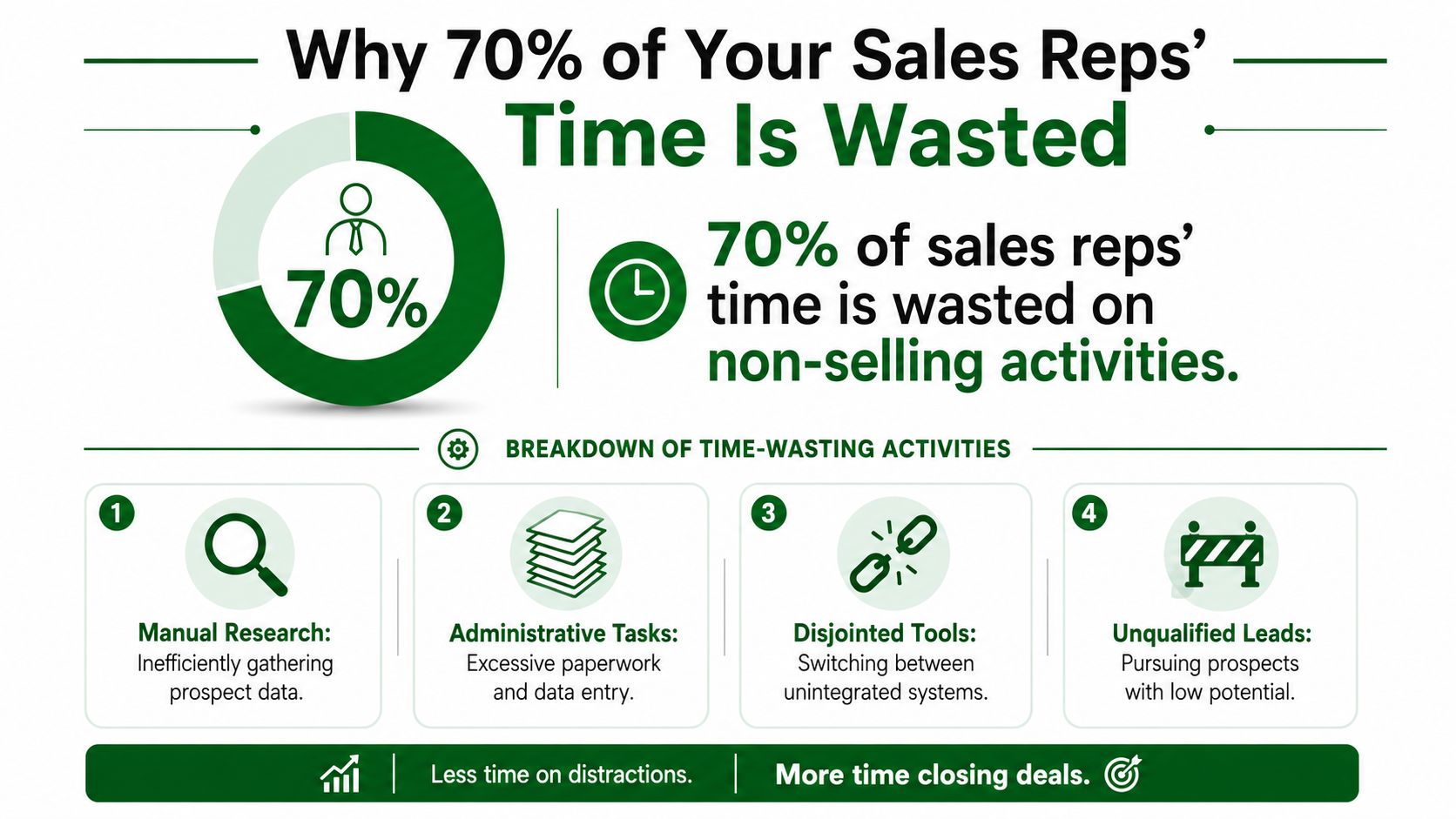
Sales rep productivity gets framed as a coaching problem too often. It usually isn't. The bigger issue is structural waste. Sales reps spend only about 30% of their working hours on revenue-generating activities, while the remaining 70% goes to admin work, internal meetings, CRM updates, and other non-selling tasks, which leaves just 11 to 12 hours per week for actual selling according to Everstage's roundup of sales productivity statistics.
That's the bleeding neck. If your SDRs and BDRs are buried in tabs, copying notes into Salesforce, and writing cold emails from weak research, you don't have a motivation problem. You have a design problem. Busy reps aren't necessarily productive reps, and generic outreach built on shallow research only makes the waste harder to spot.
The fastest way to improve sales rep productivity isn't squeezing more calls into the day. It's reclaiming the hours that disappear into manual research, fragmented tools, and low-value admin. Once you fix that layer, pipeline creation gets faster, personalization improves, and coaching starts to matter more because reps finally have time to execute.
Why 70% of Your Sales Reps' Time Is Wasted
If reps only get a small slice of the week for actual selling, productivity problems start long before quota misses show up in the forecast. The primary drain is not effort. It is where that effort goes.
Leaders often respond to weak pipeline with more activity targets, more call blocks, or more deal inspection. That usually adds process on top of an already crowded day. The bigger issue is that reps are doing work a system should handle, especially account research.
The waste comes from fragmented research, not low effort
A rep can stay busy all day and still create very little pipeline. I have seen outbound teams spend the first hour of every morning stitching together basic context from LinkedIn, company sites, hiring pages, funding databases, and old CRM notes. By lunch, they have touched dozens of tabs and written very few messages.
That is the hidden tax. Manual research looks responsible because it feels personalized and thorough. In practice, it is slow, inconsistent, and hard to scale across a team.
Here is where time usually disappears:
- Account research done one company at a time: Reps gather the same inputs repeatedly instead of working from a standard research brief.
- CRM and admin cleanup: Fields, notes, stage updates, and follow-up logging expand to fill the gaps between buyer-facing work.
- Constant tool switching: Gmail, LinkedIn, the CRM, enrichment tools, spreadsheets, and docs all require separate clicks and separate context.
- Poor account selection: Reps spend equal time on weak-fit accounts and high-intent accounts because the team lacks a clear signal hierarchy.
Practical rule: If a task does not improve targeting, message relevance, or deal movement, it should not sit in rep prime time.
Research inefficiency is a revenue problem
Many teams assume they have a capacity problem and start hiring before they fix workflow. That is expensive. A rep who loses hours to manual research does not just send fewer emails. They reach out later, personalize with less precision, and follow up with less consistency.
The result shows up everywhere. First-touch speed drops. Message quality gets worse because reps rush the writing after spending too long gathering context. Managers see healthy activity counts, but meetings and qualified pipeline stay soft.
This is why research efficiency deserves more attention than another coaching framework or another CRM cleanup project. Better research operations give reps more shots on goal without lowering quality. Standardized inputs, clear buying signals, and tool-assisted prep let the team spend more time in live conversations and less time assembling basic account facts. For more examples of how outbound teams tighten this workflow, the PitchSmart sales operations blog covers practical systems that reduce research drag.
The core point is simple. Sales productivity does not improve because reps work harder. It improves when research, prioritization, and admin work are built so reps can spend their best hours with buyers.
Beyond Activity Metrics Defining True Productivity
Teams get into trouble when they confuse motion with output. Calls made, emails sent, and tasks completed are easy to pull from a dashboard. They're also easy to game. A rep can hit activity targets while working weak accounts, using bland messaging, and moving nothing of substance forward.
The better test is effectiveness. As Enboarder's guide to sales rep productivity metrics points out, productivity is defined by effectiveness, not just activity volume. Tracking time spent selling versus admin work, along with response rates and pipeline velocity, shows where reps are stuck in low-value tasks instead of high-impact conversations.
What to measure instead
If you want a cleaner view of sales rep productivity, start with outcome-linked operating metrics:
- Time spent selling versus admin: This is the clearest signal that reps are being used correctly.
- Response quality: Don't just count replies. Read them. Are buyers engaging with the core point or brushing off a generic pitch?
- Pipeline velocity: Watch how quickly qualified opportunities move after first contact.
- Win rate by lead source: Some lists produce meetings but not opportunities. Others convert into real pipeline.
A lot of good sales operating advice comes down to replacing vanity metrics with decision metrics. The thinking in the PitchSmart blog archive on outbound workflows and research operations aligns with this well: the best teams don't just ask whether reps are working hard. They ask whether the workflow turns effort into pipeline.
The trap in high activity dashboards
Managers often celebrate activity spikes because the charts look healthy. But activity-only dashboards hide two common failure modes.
First, they hide bad list quality. Reps work hard because the targets are poor, not because the market is impossible.
Second, they hide research inefficiency. A rep may send fewer emails because they spent too long assembling context across scattered tools. Another rep may blast more volume but with generic copy that gets ignored. Neither pattern is productive.
The point of measurement isn't to count labor. It's to expose where the process blocks revenue.
A strong dashboard should help you answer practical questions. Which stage in the outbound workflow slows down? Where do reps lose time before first touch? Which segments generate better conversations when research quality improves? Those answers let RevOps fix the system instead of blaming the rep.
Run a Ruthless Time Audit to Find and Cut Waste
You can't reclaim time you haven't named. Teams often know they have waste, but they don't know where it sits or which part of it they can remove quickly. A time audit solves that.
Start with one rep, one manager, or one pod. Don't turn it into a month-long analytics project. Run it over a normal workweek and capture what happens, not what the workflow was supposed to be.
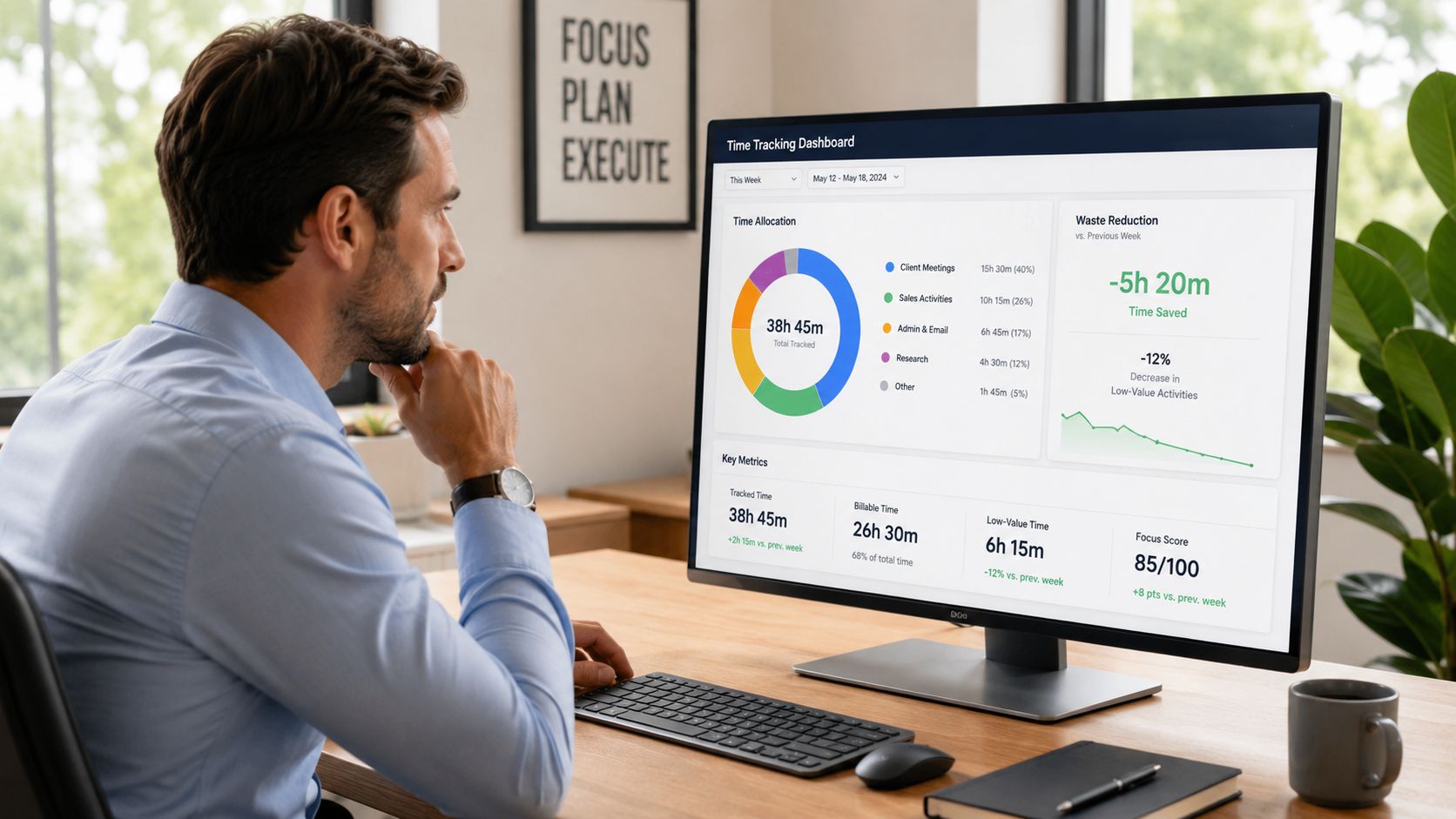
Track work in task buckets
Use broad buckets first. You're trying to find patterns, not write a thesis.
A simple version works well:
- Active selling: Live calls, demos, qualification, follow-ups tied to active deals.
- Prospect research: Account review, contact hunting, signal gathering, personalization prep.
- CRM and admin: Updating records, logging activity, writing notes, fixing data.
- Internal coordination: Slack threads, handoffs, forecast prep, manager syncs.
- Dead time: Tool errors, duplicate work, list cleanup, waiting for missing info.
Ask reps to log blocks accurately. If they switch between tasks every few minutes, use the dominant task for that block. The point is directional accuracy.
Then review where the day gets fragmented. The pattern usually appears fast. Manual research often eats the most cognitively expensive part of the day because it requires switching between sources, making judgment calls with incomplete information, and documenting the result somewhere else.
Look for friction, not effort
A time audit shouldn't punish diligence. The right question isn't “Who is slow?” It's “Which tasks force unnecessary effort?”
That distinction matters because some work deserves human judgment. Good qualification does. Strong discovery prep does. Copying data from one tool to another doesn't.
This Gong article on sales productivity and automation makes the operational case clearly. Automating CRM data entry and other manual tasks can materially increase the share of time reps spend selling, because workflows like meeting notes, next-step logging, and lead response tracking can be handled without human intervention. It also shrinks the time from lead discovery to first personalized touch.
Use the audit findings to sort tasks into three groups:
- Keep manual: Judgment-heavy work that improves deal quality.
- Standardize: Tasks that should follow the same playbook every time.
- Automate: Repetitive work that doesn't need a rep's brain.
This walkthrough is useful before you run your own audit:
What teams usually find
The same blockers appear across most outbound teams:
- Research starts from zero too often: Reps rebuild account context for every prospect instead of using a repeatable framework.
- CRM hygiene steals prime hours: Admin tasks get squeezed between prospecting blocks and break momentum.
- Handoffs create rework: SDR notes, AE notes, and ops fields don't line up, so the next person repeats the work.
- List segmentation is too shallow: Reps personalize before they've prioritized, which wastes effort on weak-fit accounts.
Audit the workflow, not the person. Good reps can still produce mediocre results inside a bad process.
When you expose the waste this way, productivity stops being an abstract coaching topic. It becomes an operations problem with obvious repair points.
Standardize Your Research to Unlock Scalable Prospecting
Research standardization is one of the highest-return productivity fixes in outbound. Teams do not lose hours because reps lack effort. They lose hours because every rep is rebuilding the same account view from scratch, using different sources, different judgment calls, and different note structures.
That approach does not scale. It also makes quality impossible to inspect. If one SDR spends 12 minutes finding a useful trigger and another spends 35 minutes chasing weak signals, the manager sees the same activity count in the CRM and misses the underlying issue.
The Reality of Manual Research
Manual research sounds reasonable until you map the steps.
A rep opens Salesforce, checks LinkedIn, scans the company site, looks for recent posts, reviews hiring pages, tries to infer priorities, copies findings into notes, then drafts an opener. Then they do it again for the next account with no guarantee they are using the same standards or even looking for the right signals.
That is where productivity breaks. Not in call reluctance. Not in coaching gaps. In the hours burned before a rep even starts the first message.
I have seen teams spend more time assembling context than using it. The trade-off is brutal. Every extra minute spent hunting for signals is a minute not spent working a live reply, refining a sequence, or adding another qualified account to pipeline.
Manual vs. automated research workflow
The fix is operational discipline. Define the inputs, standardize the signals, and route research into outreach in the same format every time.
| Stage | Manual Workflow (Per 100 Leads) | PitchSmart Workflow (Per 100 Leads) |
|---|---|---|
| List intake | CSVs, spreadsheets, and CRM exports get cleaned by hand | Import from CSV or CRM into one research workflow |
| Signal discovery | Reps search websites, LinkedIn, and public sources one by one | Bulk research runs across the full list in parallel |
| Qualification | Each rep applies their own judgment and notes style | Shared qualifiers and buying-signal logic standardize scoring |
| Source tracking | Links and evidence often get lost in notes | Signals stay tied back to their original source |
| Segmentation | Reps manually split lists after research is done | Segments can be organized around buying signals up front |
| Conversation prep | Hooks are written ad hoc and vary in quality | Signal-backed conversation plans are generated consistently |
| Outreach handoff | Notes get copied into email tools and CRMs manually | Research flows directly into outbound execution |
The goal is not speed for its own sake. The goal is repeatable judgment. Once research follows a shared system, managers can review quality quickly, RevOps can improve the rules, and reps can spend their time on accounts with a clear reason to engage.
If you are pressure-testing whether this model fits your team, the PitchSmart pricing options for research volume and usage make the cost trade-off easier to evaluate than vague AI claims.
What a strong standardized workflow includes
A research system that scales should include four pieces:
- Shared qualifiers: Reps should score fit against the same criteria, not personal preference.
- Signal-backed hooks: Outreach should start from recent, observable context.
- Transparent sourcing: Every insight should point back to the source so reps can trust it and use it in conversation.
- Segment-first execution: Research should sort accounts before anyone writes copy.
This is the part generic productivity advice misses. Better coaching does not fix a broken research workflow. Cleaner CRM fields do not fix it either. If the team is still gathering account context one tab at a time, productivity gains stay capped because the biggest block of wasted time remains in place.
Standardized research removes randomness from prospecting and turns prep work into a usable pipeline input. That is how teams get more output from the same headcount.
Turn Research Into Revenue with Automated Sequences
Research only matters if it changes the message. A rep can have strong account context and still waste it by sending a generic email sequence that sounds like everyone else in the market.
Many teams break the chain. They improve research, then push those insights into the same old templates with weak opening lines and vague calls to action. Better data goes in. Bland outreach comes out.
Build hooks before you build copy
The strongest outbound sequences start with conversational hooks, not polished paragraphs. Reps should identify what makes the account worth contacting now, then build the message around that signal.
Good hooks usually come from activity, change, or contrast:
- Recent activity: Product launches, hiring patterns, partnerships, leadership changes.
- Operational clues: Gaps between what the company says publicly and how the team appears to execute.
- Segment contrast: Why this account should get a different message than other companies in the same market.
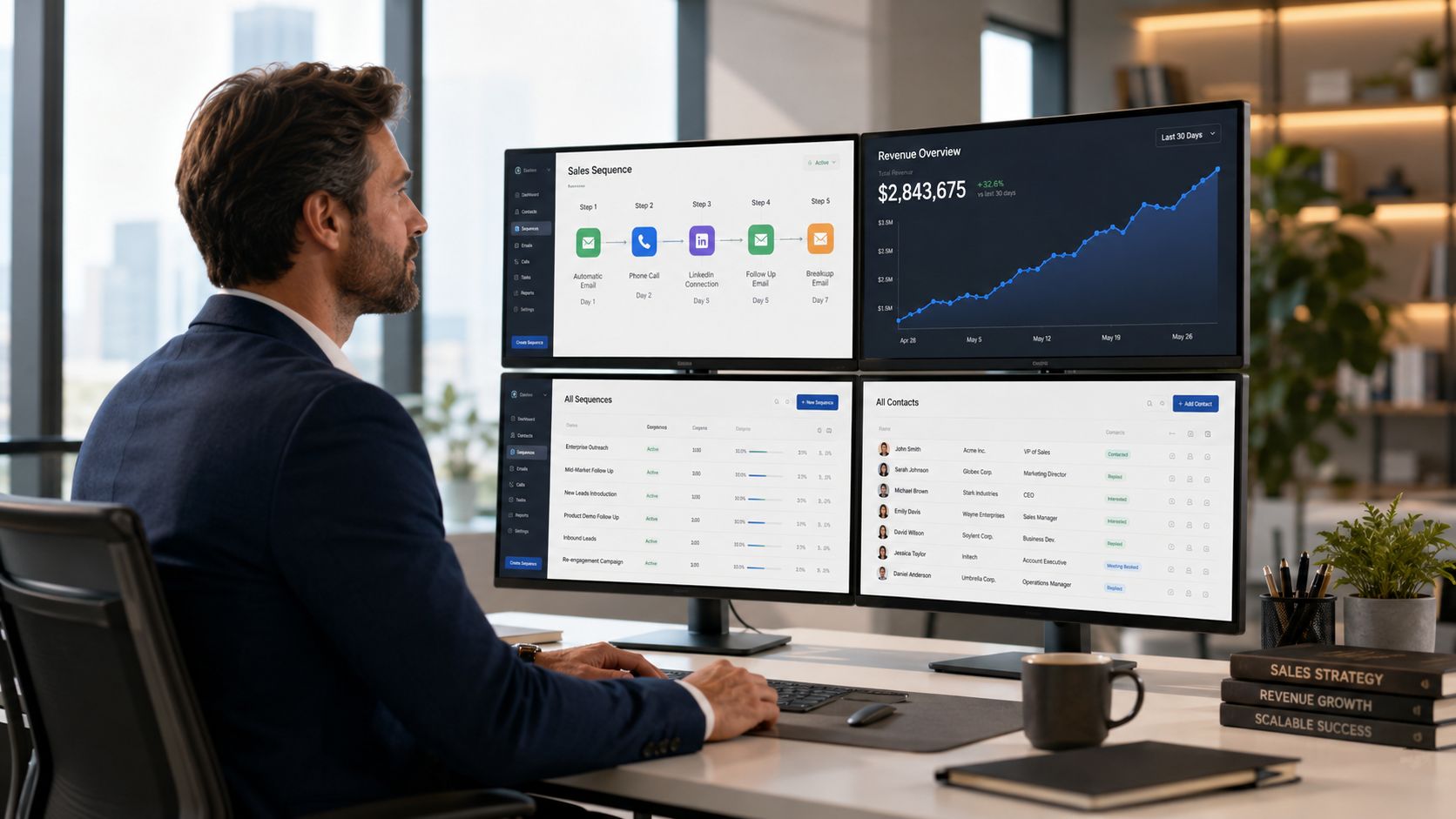
Once that signal is clear, build a lightweight sequence around it. A practical structure works well:
- Email one: Lead with the signal and why it matters.
- LinkedIn touch: Reinforce the context without repeating the email.
- Follow-up email: Add a second angle or a direct operational question.
The best automated sequence tools do two things well. They preserve the original research context, and they make it easy to reuse strong patterns without turning every message into a mail merge cliché.
Use automation where judgment is low
Automation is strongest after the rep has made the important decisions. Which segment matters. Which signal is relevant. Which hook deserves to lead. Once those choices are made, the repetitive work should move fast.
That means using systems to:
- Seed sequence drafts: Pull the strongest hook into the opener.
- Populate channel steps: Carry the same narrative across email and LinkedIn.
- Maintain consistency: Keep messaging aligned across reps and pods.
- Reduce copy-paste: Eliminate manual transfer between research notes and outreach tools.
The result isn't “fully automated personalization.” That phrase usually hides low-quality output. The better model is structured personalization. The system handles assembly. The rep handles judgment.
A strong workflow should also help sales managers review message quality at scale. They should be able to inspect whether reps are using the right signals, not just whether they hit send volume. Teams exploring that model can review the PitchSmart platform homepage to see how research and outbound execution can sit in the same motion instead of being stitched together manually.
If every rep writes from scratch, quality varies too much. If every rep sends the same template, relevance collapses. The answer sits in the middle.
That middle ground is where sales rep productivity gets real. Research produces better hooks. Automated sequences preserve speed. Reps spend less time formatting messages and more time responding to buyers who engage.
Coach on Outcomes and Continuously Refine Your Playbook
Once the workflow improves, coaching has a different job. Managers shouldn't spend their one-on-ones asking why a rep didn't send more emails. They should ask whether the rep worked the right accounts, used the strongest signals, and converted attention into real conversations.
That shift matters because quota attainment is still the scoreboard that leadership cares about. In many B2B environments, only about 40% to 60% of sales representatives consistently meet or exceed their annual quotas, and improving process efficiency can lift that number without adding headcount according to Revenue Grid's review of sales productivity metrics.
Coach what happens after the click
Managers should review three things in sequence.
First, inspect targeting quality. Did the rep choose accounts with visible fit and relevant buying signals?
Second, inspect message-to-market match. Did the opener connect to something the buyer would care about, or was it merely customized?
Third, inspect conversation conversion. When a buyer replied, did the rep move the thread toward a meeting with a clear point of view?
This is a better use of coaching time than reviewing raw activity totals. It forces the team to think in systems. Better research improves message quality. Better message quality improves conversation quality. Better conversations improve pipeline health.
Roll out change without breaking the team
Don't force a full process overhaul in one week. Start with a pilot group and tighten the workflow there.
A practical rollout often looks like this:
- Pilot one segment: Choose a market where list quality and ICP definition are already decent.
- Standardize one research brief: Decide exactly which signals and qualifiers the team will use.
- Test one sequence structure: Keep the messaging pattern stable long enough to compare quality.
- Review weekly: Managers, reps, and RevOps should inspect where the workflow still creates drag.
The best playbooks keep evolving. Segments change. Signals lose relevance. Messaging gets stale. But once research, outreach, and coaching run from the same operating model, improvement gets easier because everyone is working from the same evidence instead of personal habit.
If your team is still trying to improve sales rep productivity with more dashboards, more reminders, and more pressure, you're treating the symptom. The bigger gain comes from redesigning the work so reps spend less time preparing to sell and more time selling.
PitchSmart helps outbound teams replace one-by-one prospect research with a faster, structured workflow built for real pipeline creation. Upload a list, run bulk research across accounts, surface signal-backed conversational hooks, segment leads by buying signals, and turn those insights into automated 3-step email and LinkedIn sequences without losing source transparency. If your reps are still stuck in tabs and copy-paste, try PitchSmart and see how much selling time you can get back.