Outbound timing usually gets framed as a messaging problem. It isn't. It's a research problem.
B2B teams still lose most of their day before a real conversation even starts. Studies consistently show that B2B sales reps spend only about 30% of their time on core selling activities, with the rest consumed by administrative tasks, manual research, and data entry (Forbes Business Council). That means the average outbound motion breaks long before copy quality becomes the issue. Reps are buried in tabs, checking LinkedIn, scanning company news, poking through websites, updating CRM fields, and then sending generic emails because they ran out of time to do the account justice.
That's why buying signals in sales matter. Not as a buzzword. As an operating model.
Most guides stop at listing examples like funding, hiring, or pricing page visits. Useful, but incomplete. A key challenge is operational: how do you detect signals across a live market, score them consistently, and activate them fast enough that timing still matters? If your answer is “have reps check accounts manually,” you don't have a process. You have heroics.
The Real Cost of Flying Blind in Sales
Outbound breaks at the operating level long before it shows up in pipeline reports. Teams miss buying windows, waste rep time on low-probability accounts, and fill sequences with messaging that has no reason to land now.
The problem is not effort. It is timing, prioritization, and workflow design.
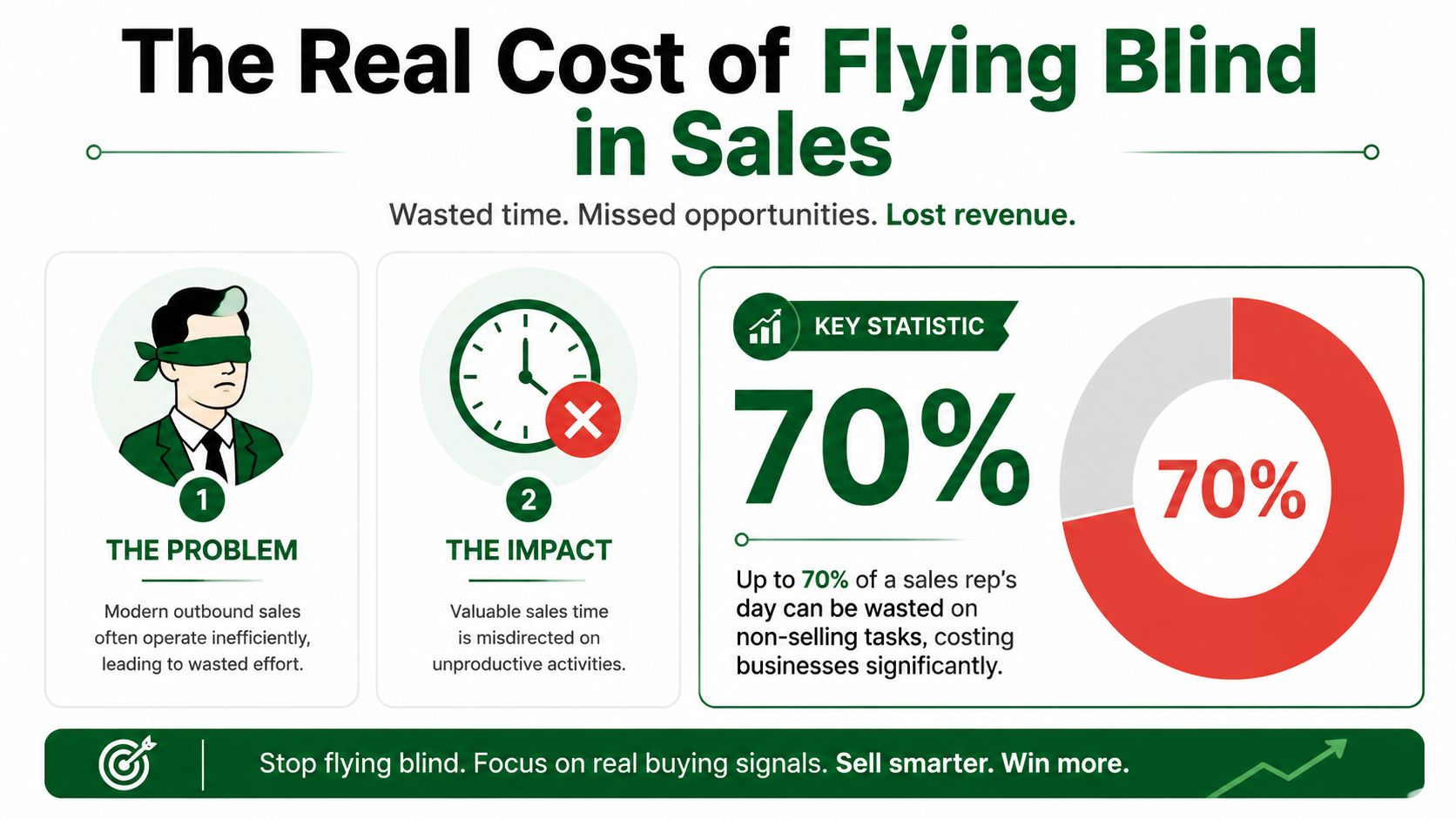
I have seen this pattern in outbound teams at every stage. Reps are told to personalize, but the process depends on manual account checks across LinkedIn, company sites, job boards, CRM notes, and news alerts. That work does produce context sometimes. It also eats the hours reps should spend in live conversations, follow-up, and pipeline progression.
Once the team is forced to choose between speed and relevance, speed wins. That is how outbound turns into list processing.
Generic outbound fails for predictable reasons
Flying blind creates the same failure points over and over:
- Research starts from zero: Every rep repeats the same account review instead of working from a live signal feed.
- Good timing gets missed: A trigger can appear on Monday and be stale by the time anyone notices on Thursday.
- Messages lose specificity: Without a clear event or behavior to anchor the outreach, copy defaults to broad pain points.
- Follow-up degrades fast: Touch one may reference something useful, but later touches rarely get refreshed with new context.
The cost shows up in conversion rates, but the operational damage starts earlier. Reps spend more time preparing accounts than advancing them. Managers respond by pushing activity targets higher. The team gets more volume, but not more qualified conversations.
Practical rule: If a rep cannot explain "why this account, why now?" in one sentence, the outreach is not ready.
Spray-and-pray creates operational debt
Many teams misread the problem. They see low reply rates and assume the fix is better copy, more sequences, or tighter talk tracks. Sometimes those changes help. They do not solve weak account selection.
A book of accounts with no active signals creates predictable waste:
| Problem | What reps do | What actually happens |
|---|---|---|
| No clear trigger | Send broad messaging | Prospects ignore it |
| Stale account research | Reuse old personalization | Relevance drops fast |
| Manual account review | Spend hours on prep | Fewer real conversations |
| Unclear prioritization | Treat all leads the same | High-potential accounts wait |
That last point matters most. Without a system for detecting and scoring signals, every account looks equally urgent. Reps work whoever is next in the list, not whoever is entering a buying window. At small volume, that is inefficient. At scale, it becomes a pipeline problem.
The fix is not asking reps to research harder. The fix is building a signal-driven operating model that detects changes automatically, scores them against account fit, and routes the right action to the right rep at the right time. That is how teams stop spot-checking and start creating predictable pipeline.
What Are Buying Signals and Why They Matter
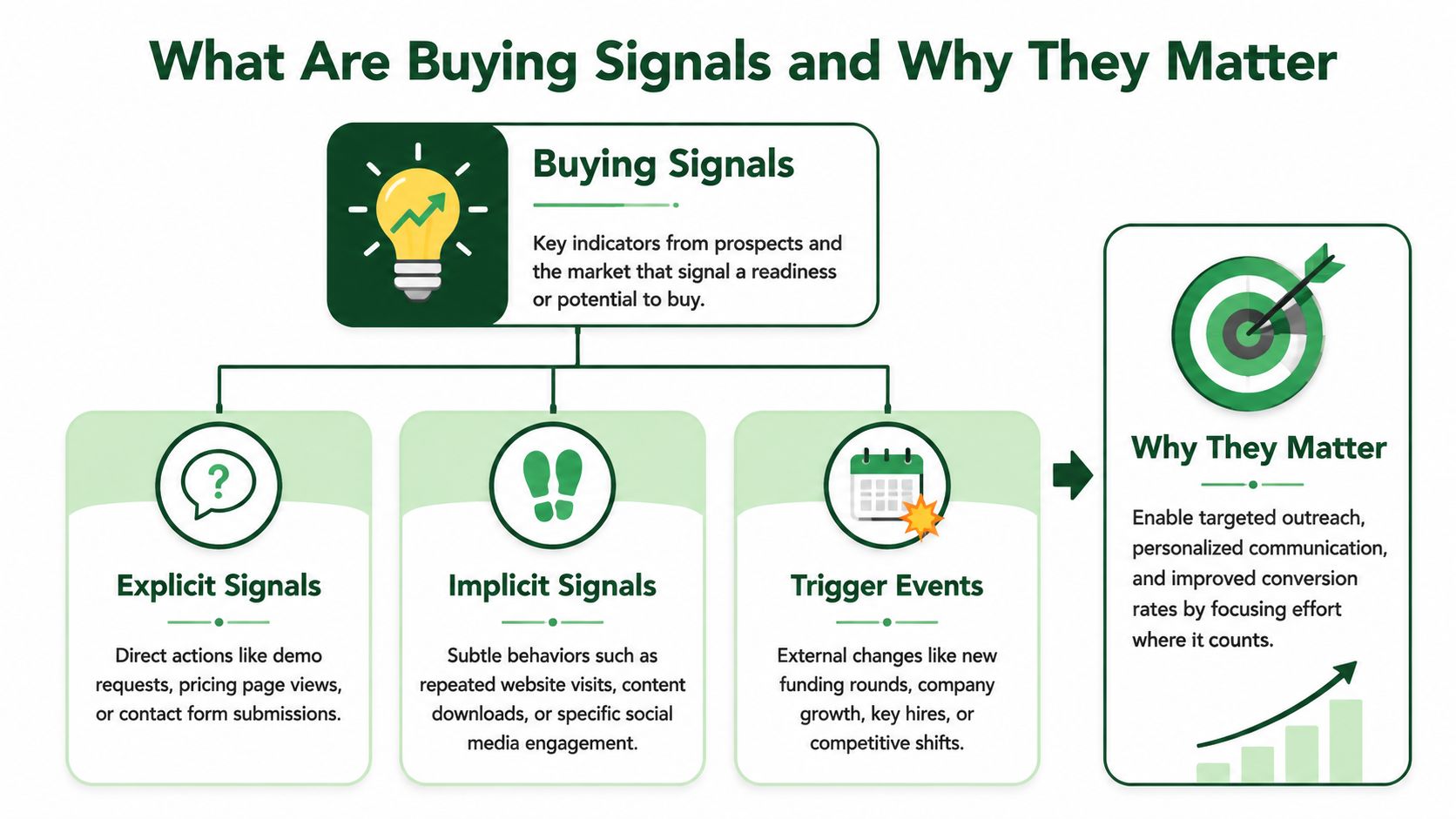
A buying signal is any observable action, event, or change that suggests a prospect may be moving toward a purchase decision. Some signals are obvious. Others are only meaningful when you stack them with context.
The simplest way to work with buying signals in sales is to use two lenses. First, ask whether the signal is explicit or implicit. Second, ask whether it comes from your own systems or an external source.
Explicit and implicit signals
Explicit signals are direct expressions of intent. A prospect asks for pricing. Someone requests a demo. A buying committee wants legal or security information. These are clean signals because the buyer is telling you they're actively evaluating.
Implicit signals are indirect clues. A company starts hiring aggressively in a department you sell into. A prospect visits a comparison page repeatedly. A leadership hire shows up on LinkedIn. None of these confirms a deal on its own, but each raises the probability that the account is entering a buying window.
A common mistake involves treating all implicit signals as equal. They aren't. A single social like is weak. A cluster of signals around the same account is useful. A strong process weighs both signal quality and signal combination.
First-party and third-party signals
First-party signals come from systems you control. Think CRM activity, website behavior, inbound forms, email engagement, product usage, and old opportunity history. These signals are usually the easiest to trust because your team owns the data and can map it directly to accounts and contacts.
Third-party signals come from outside your stack. That includes public company announcements, hiring patterns, social activity, online research behavior, technology changes, and market events. These are valuable because they show movement before a prospect ever fills out a form.
Explicit tells you the buyer is raising a hand. Implicit tells you where to look before the hand goes up.
Why this matters operationally
Signal-driven teams don't just get better timing. They run cleaner workflows.
- Prioritization improves: Reps stop treating every account like it deserves equal attention.
- Personalization gets easier: The message starts from a real event instead of a guessed pain point.
- Manager coaching gets sharper: Leaders can inspect whether a rep acted on a valid trigger or forced outreach into a cold account.
- RevOps gets a real system: Buying signals become a routing and segmentation layer, not just tribal knowledge.
That's the shift. Buying signals in sales aren't just clues for good reps. They're inputs for a repeatable outbound machine.
Where to Find Actionable Buying Signals
Most reps don't miss buying signals because they can't recognize them. They miss them because the signals are scattered across too many places. You need a map of where to look and what each signal means.
A useful signal isn't just “something happened.” It has to answer a practical question: does this account have a reason to care right now?
Website and email activity
Your own website often reveals interest before a prospect ever speaks to sales.
If a contact is spending time on pricing, product, integration, or comparison pages, that usually means they've moved past casual awareness. If multiple people from the same company are interacting with those areas, the account deserves attention. If someone downloads a case study, implementation guide, or buyer-facing asset, they may be building an internal case.
Email behavior also matters, but only with context. An open isn't enough. A reply, a forward internally, or renewed engagement after silence is more useful.
Social and professional activity
LinkedIn is full of weak signals and a smaller set of high-value ones. The difference is whether the activity points to budget, change, or ownership.
A new sales leader joining an account can matter. A company posting about a new go-to-market initiative can matter. A prospect asking peers for recommendations around a workflow problem can matter. A random like on a leadership post usually doesn't.
Here's the test I use: if the activity suggests a change in tools, process, team structure, or priorities, it's worth tracking. If it only suggests passive awareness, it belongs in a watchlist.
Third-party research behavior
Third-party intent sources can be useful when they indicate an account is researching a problem area, comparing solutions, or consuming category-related content across the web. The trade-off is noise.
Intent without fit leads reps into the weeds. Fit without intent creates static target lists. You need both.
For teams that want examples of adjacent outbound workflows and research motions, the PitchSmart blog is a useful reference point for how modern prospecting teams operationalize list research and outreach.
News and company announcements
Public company movement creates some of the clearest trigger events in outbound.
Funding announcements often signal new priorities and fresh scrutiny on execution. New executive hires can lead to process reviews, vendor changes, and tool evaluations. Expansion into a new market can create immediate operational strain. Product launches, partnerships, and strategic initiatives can all create openings if your offer ties directly to the motion.
The key is relevance. Don't force every news item into a pitch. Tie the trigger to an actual operational problem the account is likely facing.
CRM and product signals
Your CRM holds some of the most overlooked buying signals in sales because teams stop looking after an opportunity goes quiet.
A stalled deal that suddenly re-engages deserves a different play than a cold prospect. An old champion moving roles can reopen an account. A contact who ignored outbound last quarter but is now active on your site is not the same lead anymore. If you sell into existing customers, product adoption shifts and feature usage can also indicate expansion potential or internal urgency.
Below is the cheat sheet SDRs and RevOps teams should keep close.
| Signal Source | Example Signal | What It Means | Signal Strength |
|---|---|---|---|
| Website | Repeated visits to pricing or product pages | Active evaluation or internal research | High |
| Reply after a long quiet period | Timing may have changed | High | |
| Social media | New leadership hire or role change | New owner may review tools and process | Medium to high |
| Social media | Prospect discussing a pain point publicly | Problem is top of mind | Medium |
| Third-party intent | Increased category research activity | Account may be exploring solutions | Medium |
| News | Funding, expansion, or strategic launch | Budget or urgency may be rising | High |
| CRM | Closed-lost account re-engaging | Buying window may have reopened | High |
| Product or customer data | Usage spike or expansion behavior | Account may need broader rollout | Medium to high |
How to Automate Signal Detection at Scale
Knowing what to watch is useful. Asking reps to watch all of it manually is how teams recreate the same problem with a smarter vocabulary.
The moment an outbound team grows beyond a small named-account motion, manual signal tracking starts to fail. Reps skip refreshes. Research quality varies by person. Good accounts sit untouched because no one had time to find the trigger.

Why manual monitoring breaks
A rep can manually review a handful of strategic accounts well. They can't do that across a live book of prospects, old opportunities, recycled leads, and expansion targets without cutting corners.
The common failure points show up fast:
- Tab overload: LinkedIn, company websites, job boards, CRM, news search, and notes live in separate places.
- Inconsistent standards: One rep logs a leadership hire as important. Another ignores it.
- Slow activation: By the time research is done, the signal has aged.
- No durable record: The rationale for outreach lives in a browser tab or a rep's head, not in the system.
That's why signal detection has to become a workflow, not a side task.
What an automated workflow should do
A workable system scans your prospect list in bulk, not one record at a time. It enriches account context, surfaces activity-based hooks, ties each finding back to the source, and makes the signal usable inside the sequence workflow.
That means the process should:
- Pull from your actual list rather than force reps into a rented database mindset.
- Research accounts in parallel so the team isn't stuck doing one-by-one lookups.
- Normalize findings into a common structure, such as trigger event, recency, relevance, and source.
- Attach signal context to the contact or account so reps can use it immediately.
- Feed segmentation and outreach instead of ending at research.
If your process stops at “we found a signal,” you still haven't solved the outbound problem. Detection only matters if it changes prioritization and messaging.
Teams also need to know how research is handled and stored. That's why privacy and sourcing controls matter when you operationalize outbound data at scale. The PitchSmart privacy approach is a good example of what to look for in a modern research workflow.
A short product walkthrough helps make that operational shift concrete:
Automation should remove the grunt work, not remove judgment. Reps still need to decide whether the signal is strong enough to earn a message.
The best systems don't replace sellers. They eliminate the repetitive research, copy-paste, and tab juggling that keeps sellers from getting to the conversation.
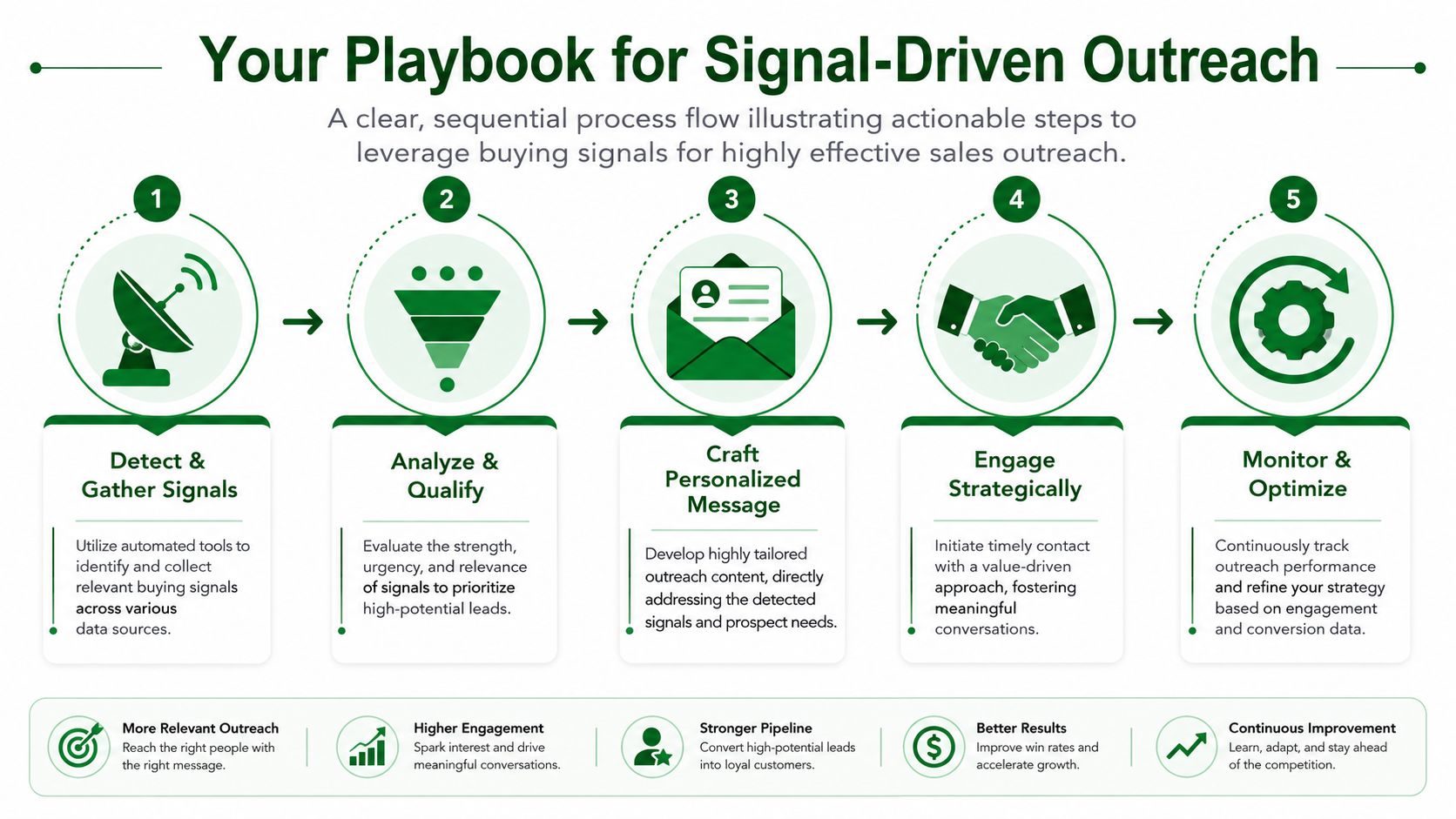
Your Playbook for Signal-Driven Outreach
Signal-driven outbound works when teams follow the same sequence of decisions every time. Score the signal. Segment the account. Launch the right sequence from the right hook.
That sounds simple. It usually breaks because teams jump straight from “we found something” to “send an email.” The middle layer matters.
Score the signal, not just the lead
Most lead scoring models overweight static fit and underweight current behavior. That's why teams keep calling good-fit accounts that have no present reason to engage.
A practical scoring model should look at four factors:
- Signal type: A direct request or strong trigger event should rank above passive content engagement.
- Recency: Fresh signals matter more than old ones.
- Role relevance: The signal means more if it comes from, or affects, the function you sell into.
- Stacking: Multiple related signals on one account deserve escalation.
A simple operating rule works well. Treat isolated weak signals as monitor-only. Treat stacked signals or direct triggers as outreach-ready.
Segment accounts into action buckets
Once signals are scored, put accounts into buckets that drive action. Don't dump everything into one outbound queue.
A structure that works in practice looks like this:
| Segment | Typical Signal Mix | What the team should do |
|---|---|---|
| Hot | Direct inquiry, re-engaged opportunity, or stacked strong triggers | Immediate personalized outreach |
| Warm | Relevant trigger with good fit but less urgency | Enroll in a tailored sequence |
| Watchlist | Early-stage or ambiguous signals | Monitor and wait for a second trigger |
| Pause | Negative context or weak fit | Hold off and revisit later |
Advanced segmentation becomes particularly useful. Teams can build focused lists around signal combinations such as a new executive plus recent company activity, or a reactivated account plus website engagement. That's a much better use of automation than blasting the whole TAM.
Field note: Segmentation should answer who gets touched today, who gets monitored, and who gets removed. If it doesn't change those decisions, it's too abstract.
Build sequences from the hook
The signal should seed the outreach. Don't write a generic sequence and then tack on one sentence of personalization.
A practical three-step motion works well for most outbound teams:
- Email one starts with the trigger. Mention the observed event or behavior and tie it to a likely business challenge.
- LinkedIn touch reinforces the context. Keep it short. No pitch deck. No long note.
- Email two expands on the use case. Add a pointed observation, a relevant workflow, or a concise reason to talk now.
Here are workable templates.
For a leadership change
- Email opening: Noticed your team recently brought in new leadership for revenue operations. That usually comes with a review of process, tooling, and reporting gaps.
- LinkedIn touch: Congrats on the new role. You're probably getting pulled into cleanup and prioritization quickly.
- Follow-up email: If sales research and outbound prep are still fragmented across tabs and spreadsheets, this is often the moment teams try to standardize it.
For renewed account activity
- Email opening: Saw your team re-engaged after a quiet stretch. That usually means the timing changed or the internal priority resurfaced.
- LinkedIn touch: Reaching out because this account looked active again and I didn't want to send a generic follow-up.
- Follow-up email: Happy to share a tighter conversation plan based on the current activity rather than restarting from scratch.
For company expansion or hiring
- Email opening: Looks like the team is growing in an area tied closely to execution. Expansion usually creates pressure on handoffs, tooling, and ramp speed.
- LinkedIn touch: Hiring patterns suggest this function is getting real investment.
- Follow-up email: If the goal is to support that growth without adding more manual prep work, that's worth a focused conversation.
The best automation layers on top of this process by generating activity-based hooks from recent signals, then dropping those hooks into automated email and LinkedIn sequences. That's how you keep the message relevant without making reps handcraft every touch from zero.
Measuring Success and Avoiding Common Pitfalls
Signal-driven outbound needs measurement that goes beyond total activity. If you only track sends and meetings, you won't know whether your signal model is improving or just producing more motion.
RevOps should inspect performance at the signal level. Sales managers should inspect whether reps acted on the right signals with the right message.
What to measure
Start with a small set of metrics that tie signal quality to pipeline movement.
- Reply rate by signal type: Which triggers start conversations?
- Lead-to-opportunity conversion by segment: Are hot accounts converting differently from watchlist accounts?
- Time-to-first-touch after signal detection: How quickly does the team act once a useful trigger appears?
- Sequence performance by hook category: Which opening angle gets traction?
- Reactivation rate for old pipeline: Are recycled opportunities worth the effort when new signals appear?
A simple scorecard helps.
| Metric | What it tells you | Why it matters |
|---|---|---|
| Reply rate by trigger | Which signals produce relevance | Helps refine prioritization |
| Conversion by segment | Whether scoring is working | Shows if hot accounts are truly hotter |
| Response speed | Whether the team acts fast enough | Strong signals decay |
| Sequence results by hook | Which message angle resonates | Improves copy and coaching |
| Rep feedback on signal quality | Whether surfaced signals are usable | Prevents blind automation |
Where teams get this wrong
The first failure mode is acting on stale signals. A useful trigger has a shelf life. If the team only refreshes research occasionally, outreach starts to feel disconnected from reality.
The second is over-automation. Teams find a few good hooks, build templates, and then flatten them into generic personalization. The signal gets mentioned, but the message still feels mass-produced.
The third is weak feedback loops. Reps know quickly whether a surfaced signal is useful, misleading, or irrelevant. If that feedback never reaches RevOps, the model doesn't improve.
For teams evaluating whether a dedicated workflow is worth formalizing, the PitchSmart pricing page helps frame how research automation fits into outbound operations without adding another vague tool category.
Good signal programs are iterative. The team should regularly remove weak triggers, promote strong ones, and refine what “actionable” actually means inside the motion.
Stop Guessing and Start Selling
Buying signals in sales aren't valuable because they sound modern. They're valuable because they help teams stop wasting effort on accounts that have no reason to talk right now.
The old outbound model asked reps to do two impossible things at once: research every account manually and still maintain enough volume to hit pipeline goals. That's why generic sequences keep showing up in the wild. Reps aren't lazy. The workflow is broken.
A stronger outbound system does three things well. It detects live signals across the market. It turns those signals into account priority. Then it activates outreach from a real conversational hook instead of a guessed pain point.
That's how outbound becomes more predictable. Not by sending more. By sending with better timing, better context, and less manual grind.
If your team is still researching leads one by one, PitchSmart is the fastest way to move to signal-driven outbound. Upload your list or pull prospects from your CRM, let bulk research surface buying signals and conversation hooks in parallel, then launch personalized outreach without the tab chaos. Start the free trial and see what your own prospect list reveals in minutes.