
You spent days building a sequence, cleaning the list, and lining up the follow-up tasks. Then the first test lands and the greeting reads Hi {{first_name}}, the company field is blank, and Outlook pushes the message into junk. That isn't a small mistake. It's a pipeline problem.
Often, send test emails are treated like a final button click. That's backwards. A proper test protects the hours your reps already lost to manual work and helps you answer the only question that matters in outbound: will this message earn replies from the right accounts?
The Cold Email Nightmare You Must Avoid
The worst outbound mistakes are boring. Nobody tells the story of the heroic SPF check that saved the quarter. They remember the send where every personalization token broke, or the sequence that looked clean in the sales engagement platform and terrible in the inbox.
That failure hits harder because reps already lose most of their week to work that doesn't move deals. Sales representatives spend only 30% of their workweek on actual selling and prospecting, while 70% is consumed by non-selling tasks according to the Everstage summary of the Forrester Activity Study. If a rep spends that much time on admin, list cleanup, and one-off research, then launches a broken sequence, the waste compounds fast.
A bad test send creates three immediate problems:
- It burns trust: Prospects notice broken tokens, odd formatting, and recycled copy right away.
- It wastes list quality: Good accounts only tolerate so much bad outreach before they ignore the domain.
- It distorts coaching: Managers start fixing copy when the actual issue was data mapping, spam placement, or a weak angle.
Practical rule: If you only send test emails to confirm that the platform can deliver, you're not testing the campaign. You're testing the button.
The better standard is simple. Test the infrastructure, test the data, and test the message. If one of those breaks, the sequence underperforms no matter how good the copy looked in the editor.
Stop Testing Trivial Details and Start Testing Angles
A lot of teams say they test, but what they do is tinker. They swap a CTA phrase, move a line break, or debate whether a button should look more prominent. Those checks have their place, but they don't answer the strategic question: is this the right reason for this buyer to reply?
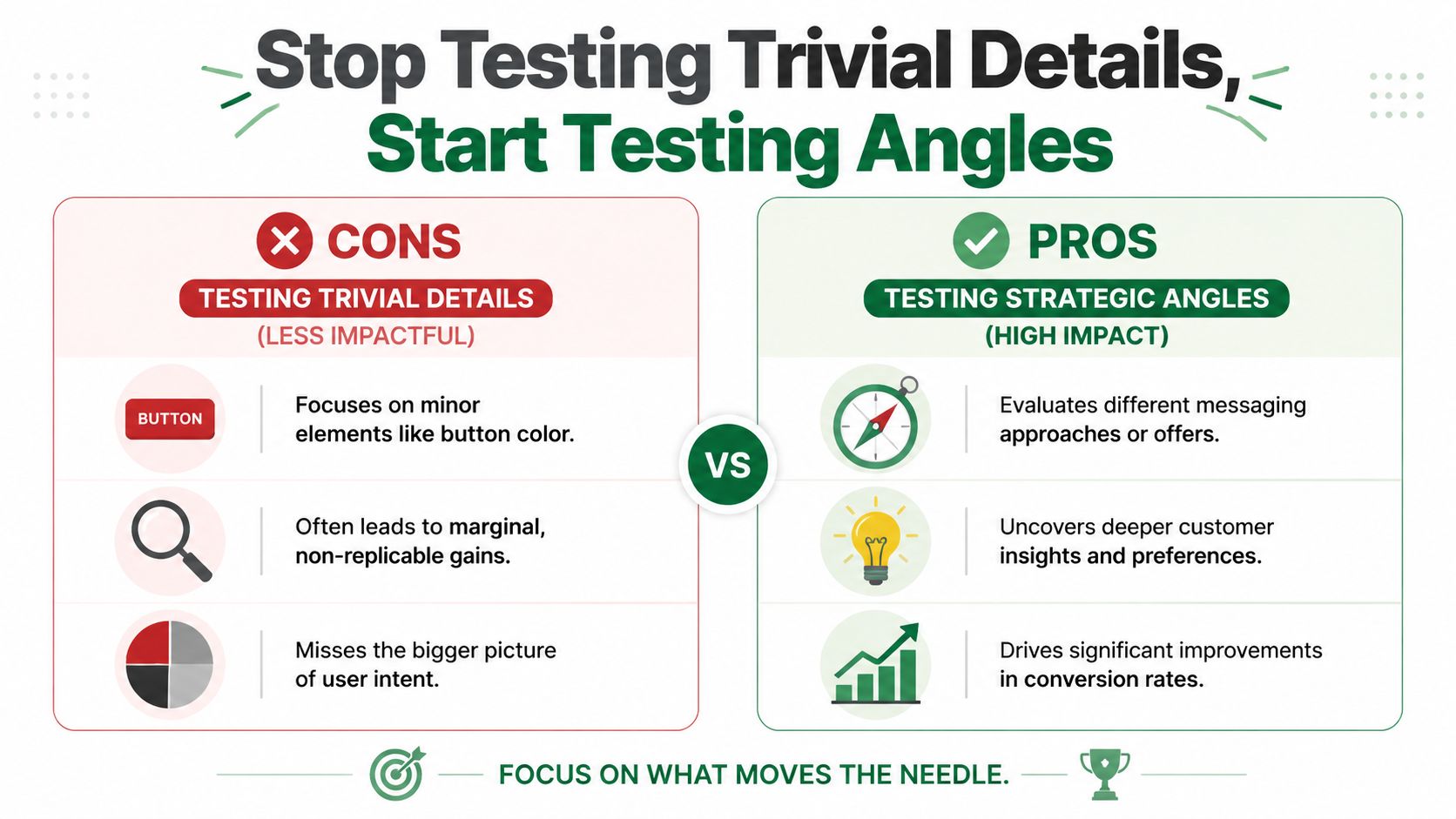
Most standard guidance on send test emails stays at the technical level. That leaves SDRs polishing subject lines on messaging that never matched the prospect's pain in the first place. A LinkedIn expert piece on underperforming email angles notes that this gap can waste up to 70% of outreach effort when teams optimize the wrong angle instead of validating the value proposition first.
What angle testing means in practice
An angle is the core promise behind the email. Not the wording. The reason the buyer should care.
For the same ICP, you might test:
| Angle | What it leads with | Best use case |
|---|---|---|
| Operational pain | Manual work, inconsistency, handoff friction | Teams buried in process |
| Revenue impact | More meetings, cleaner pipeline, faster rep execution | Sales-led orgs under target pressure |
| Trigger event | Hiring, expansion, tooling change, recent activity | Accounts showing active change |
| Risk reduction | Deliverability, trust, wasted sends, poor segmentation | Teams with damaged outbound performance |
What not to obsess over first
You can test small variables later. Don't start there.
- Button color changes: Fine for lifecycle marketing. Usually low impact in cold outbound.
- Minor CTA wording swaps: Useful after the message is working.
- Formatting tweaks: Worth checking only once the angle has earned engagement.
Strong outbound teams test the reason to respond before they test the phrasing of the ask.
If your first pass at send test emails doesn't compare distinct buyer-relevant angles, you're optimizing surface details while the core message stays wrong.
Your Pre-Flight Checklist for Flawless Test Sends
Most broken campaigns were predictable. The issue was sitting in the CSV, the field mapping, the sender setup, or the rendering. The team just didn't catch it before launch.

A clean pre-flight process is less about perfection and more about removing obvious failure points before the sequence touches a real list.
Build a seed list that behaves like a real list
Don't test with fake names only. “Test User” won't reveal whether your personalization logic holds up across messy records, missing fields, and edge cases.
Use a seed list with three buckets:
- Internal reviewers who know what the email should say.
- Dedicated inboxes across Gmail, Outlook, and Yahoo so you can inspect placement and rendering.
- A small set of anonymized real-record patterns that reflect the kind of data your sequence will use.
That last group matters most when your email depends on custom fields, recent activity, role labels, or company descriptors.
Check the data before you check the copy
Before anyone argues about wording, inspect the merge fields and source columns.
- Name fields: Make sure first name and company values exist in the exact format your tool expects.
- Custom variables: If you use fields for role, industry, pain point, or trigger event, confirm they're populated and mapped.
- Fallback logic: If data is missing, the email should still read like a human wrote it.
A fast privacy check belongs here too. If your team is using customer or prospect data in staging, keep the process aligned with your internal handling standards and the PitchSmart privacy page.
Review the campaign as a recipient
Don't stay inside the sending platform. Open the message in the inbox and inspect it like a skeptical prospect.
Ask:
- Does the preview text help or hurt?
- Does the email feel like one coherent thought?
- Do links resolve correctly after tracking is applied?
- Does the signature look normal on desktop and mobile?
- If a field fails, does the message become awkward or obviously automated?
A good test inbox should make the sender uncomfortable. If the email only looks good inside the sequence builder, it isn't ready.
Teams that take send test emails seriously don't just test whether the message goes out. They test whether the message still looks credible after all the systems touch it.
Executing Tests and Validating Personalization
The mechanics matter because avoidable trust damage stems from them. A Sendmarc guide on testing email campaigns notes that 40% of test emails fail due to spam trigger phrases or dynamic tokens not populating correctly, and it specifically calls out the need to validate tokens like {{first_name}} with real data.
That failure usually shows up in one of two ways. Either the token breaks outright, or the token technically works but produces a line that feels robotic. Both hurt replies.
Manual tests in Gmail and Outlook
If you're sending one-off cold emails from Gmail or Outlook, keep the test simple and ruthless.
Send the email to yourself and to at least one colleague, then inspect:
- Subject line and preview text
- Greeting and personalization fields
- Tracked links and calendar links
- Signature formatting
- Reply-to behavior
Now forward the test to a teammate and ask one question: “Would you believe this sender researched you?” If the answer is no, don't send more tests. Rewrite the angle or fix the data.
Sequence tests in Outreach and Salesloft
In Outreach or Salesloft, the danger is scale. A small field error becomes a large credibility problem.
Check these items before the sequence goes live:
| Test item | What to inspect |
|---|---|
| Merge fields | {{first_name}}, {{company}}, {{title}}, and any custom fields |
| Step logic | Delay timing, task generation, and channel order |
| Link wrapping | Redirects, UTMs, and tracked links after send |
| Fallback copy | Whether the email still reads naturally if data is missing |
Use a micro-batch first. Don't push the whole audience because the preview looked fine.
A lot of teams also forget to validate whether the sequence still makes sense after enrichment and segmentation changes. If contacts were updated between list build and launch, your “relevant” opener may no longer match the account context. That's the kind of issue worth catching before broad rollout, especially when evaluating tools and workflow design against the PitchSmart pricing page.
Workflow tests in HubSpot
HubSpot introduces another layer. The email itself might be fine, but the workflow logic, enrollment triggers, or property mappings can break the experience.
Use a test contact and verify:
- Enrollment criteria: The right records enter the workflow.
- Property pull-through: Personalization tokens draw from the intended fields.
- Suppression rules: Existing opportunities or disqualified contacts don't get enrolled.
- Notification logic: Internal alerts and follow-up tasks fire when expected.
This walkthrough is worth watching before you finalize your QA flow:
Validate the message, not just the fields
A technically correct token can still create weak outreach. “Saw you're a VP at Company X” is personalized, but it isn't persuasive.
The test email should confirm that your dynamic content produces a message with:
- A credible opener
- A relevant problem statement
- A clear next step
- A tone that sounds like a rep, not a mail merge
If personalization only proves you know a fact about the prospect, it's decoration. If it shows why the fact matters now, it becomes a reason to reply.
That distinction is where many teams lose the plot when they send test emails. They validate syntax. They don't validate relevance.
Mastering Technical Deliverability Checks
If the message never reaches the inbox, the rest of the work doesn't matter. Deliverability isn't glamorous, but it decides whether your best angle gets a chance.
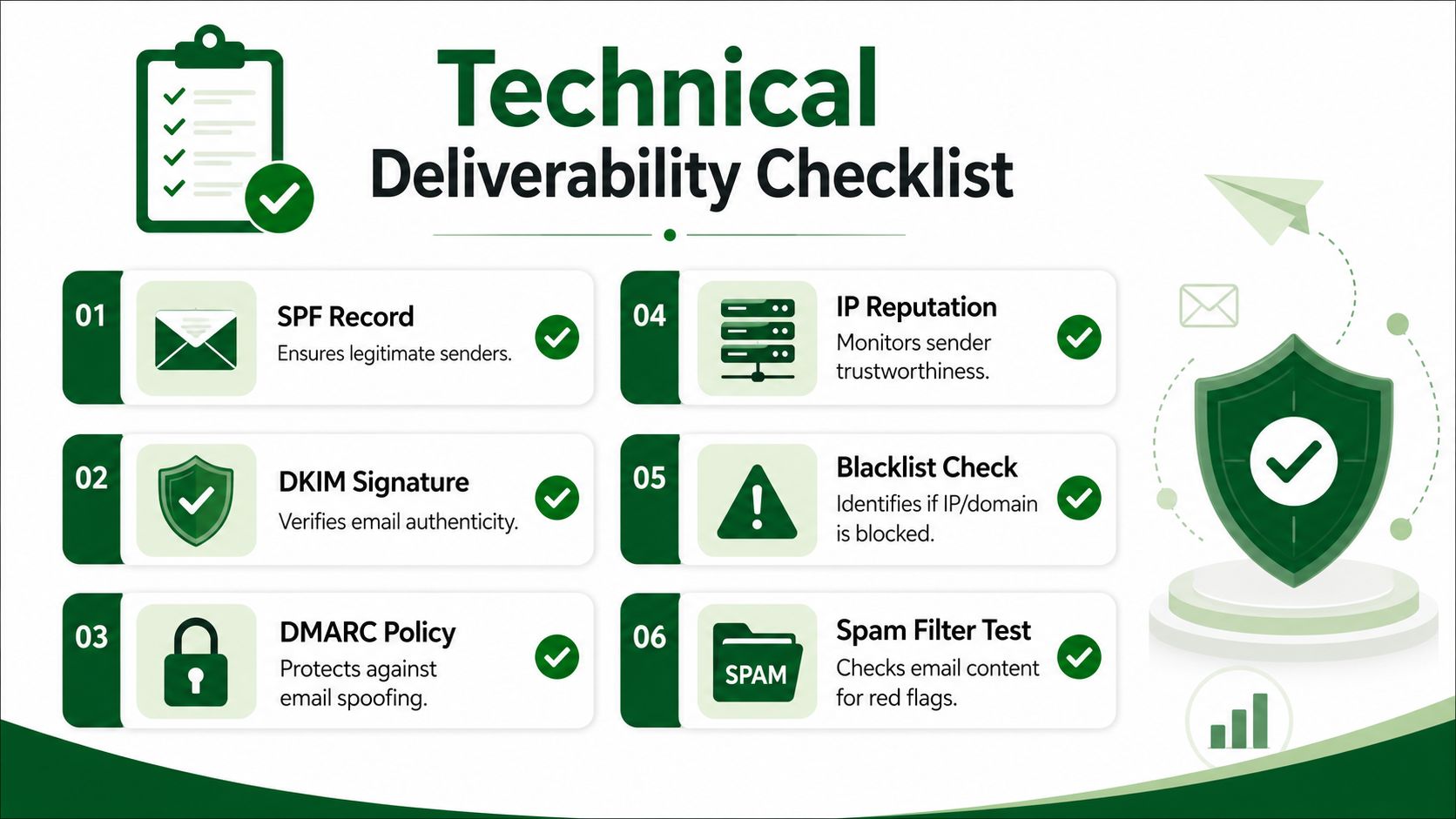
A Smashing Magazine guide on email testing flow makes this point clearly: expert methodology starts with validating SMTP authentication protocols, and missing DKIM causes a 30 to 40% increase in spam folder placement for outbound campaigns.
What your Ops team must verify first
For SDRs, these terms can feel abstract. They don't need to be.
- SPF tells receiving servers which senders are allowed to send on behalf of your domain.
- DKIM adds a signature that helps verify the message hasn't been altered.
- DMARC sets policy around how authentication failures should be handled.
Before launch, Ops should verify those controls and confirm the sending environment is stable.
A practical technical checklist looks like this:
- Authentication passes across the sending domain.
- Domain reputation looks healthy in the tools your team uses to monitor sender trust.
- The sending domain is warmed appropriately before meaningful volume.
- Staging tests are complete so accidental sends don't hit live prospects.
- Feedback loops and acceptance checks are active where supported.
What SDRs should check before launch
Even if RevOps owns the setup, SDRs still need a recipient-level QA habit. Open the email where prospects will open it.
Check rendering across:
- Gmail
- Outlook
- Yahoo
- Desktop and mobile
- Light mode and dark mode
Then run the copy through a spam score scan. You're looking for obvious red flags such as trigger phrases, overpunctuation, broken links, and formatting that feels machine-generated.
Use this quick review before every real send:
| Check | Why it matters |
|---|---|
| Inbox placement | Confirms the message isn't getting buried immediately |
| Dark mode rendering | Prevents unreadable text and broken visual hierarchy |
| Mobile spacing | Many prospects read first-touch emails on phones |
| Link behavior | Broken redirects kill trust fast |
| Spam wording scan | Flags content likely to raise filtering risk |
The cleanest copy in the world still fails if your sender setup tells mailbox providers not to trust you.
Technical QA doesn't replace messaging QA. It protects it. Once the infrastructure is sound, then your angle testing has a fair shot.
How to Analyze Results and Troubleshoot Failures
A common pitfall is moving too fast from “test sent” to “campaign launched.” Don't. The point of send test emails is to produce evidence, not false confidence.
The baseline in cold outbound is unforgiving. The Cleanlist benchmark on cold email response rates reports a global average cold email reply rate of 3.1%, and says organizations should send at least 200 to 500 emails per variant to detect a performance change reliably because smaller samples often create random fluctuations that look like insights.
What to do when the test fails
Use the failure type to decide the fix.
- Spam placement: Review authentication, spam score, and sending reputation.
- Broken tokens: Check field mapping, source data quality, and fallback text.
- Bad rendering: Review client-specific formatting, mobile layout, and dark mode.
- Weak replies: Revisit the angle before editing line-level copy.
- Broken links: Inspect tracking settings and final destination URLs.
One bad test email can be enough to stop a send. One good test email is not enough to validate a campaign.
What a valid messaging test actually looks like
A useful test has three traits:
- It isolates one meaningful variable. Usually the angle, not a cosmetic detail.
- It runs inside one clear ICP segment. Don't mix audiences and call the result insight.
- It earns enough volume to matter. Tiny sample sizes create noise.
That's why teams need time for analysis, not just execution. If reps are still buried in manual prospect research and admin, they won't spend that time well. Clean systems free the team to debug, learn, and improve. Good process documentation helps too, especially when you're building repeatable outbound standards from a centralized sales operations blog.
PitchSmart helps outbound teams replace manual prospect research with bulk, signal-backed account research, sharper segmentation, and automated multi-step outreach built from stronger hooks. If your reps are wasting hours to assemble lists, hunt for buying signals, and hand-build personalization before they even send test emails, PitchSmart gives that time back so the team can focus on testing angles, improving reply quality, and booking more meetings.